Why reliable construction site internet connectivity from SignalBridge matters for projects
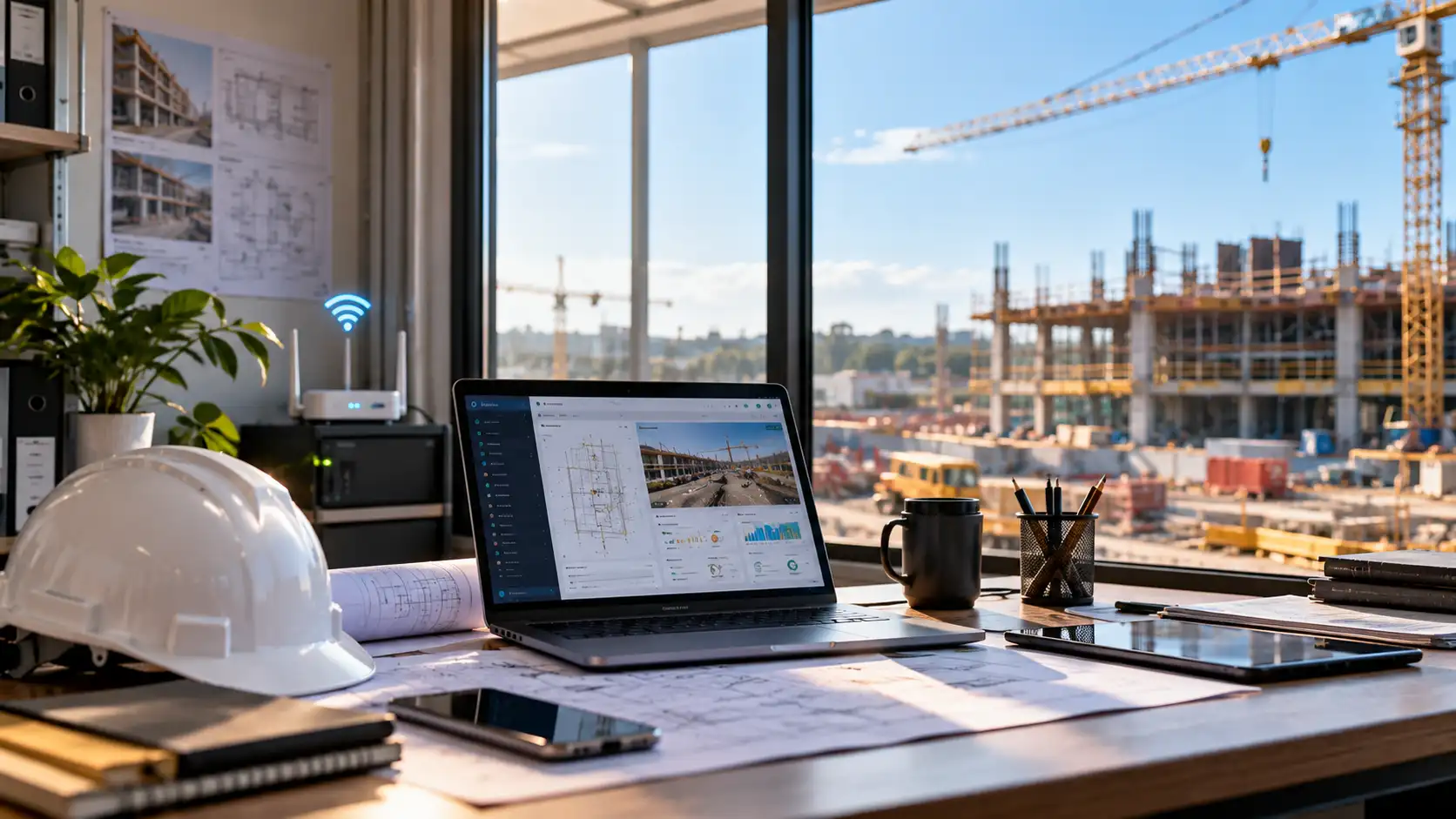
The concrete truck is booked for 7am, but the engineer’s sign-off is stuck in an inbox because the site shed’s internet dropped out overnight. The crew waits and the schedule slips before anyone picks up a tool.
Moments like this show why construction site internet is no longer a nice extra. Drawings, RFIs, safety forms, photos and approvals all travel online now, and a weak connection slows every one. Here’s what reliable connectivity means on a job site, what poor coverage really costs and how to plan site connectivity solutions that last from the first site shed to handover.
Key takeaways
- Construction site internet now carries approvals, drawings, reports and safety communication, so a dropout can stall people, plant and deliveries.
- Temporary site connectivity should be planned before mobilisation, as permanent fixed lines can take months to arrive.
- 4G/5G internet for remote sites works well when signal is tested on site, not just checked on a coverage map.
- Construction site Wi-Fi needs proper design because steel, concrete and a changing layout block and reflect signals.
- A secure, monitored site office network setup protects project data and keeps every crew working from the latest information.
What reliable site connectivity means on a construction project
Reliable site connectivity is internet and network access that stays fast, stable and secure wherever your team works, from the site office to the top floor of the structure. It covers the incoming service, the Wi-Fi and cabling that spread it around, and a backup for when the main link fails.
Consistency matters more than headline speed. A connection that flies at 6am but crawls at 10am, when every tablet is uploading photos, isn’t reliable. The gap between office-ready Wi-Fi and the router you have at home is even wider on a busy site.
Why poor construction site internet costs more than you think
Poor connectivity rarely causes one big failure. It adds small delays everywhere.
- Communication slows down. Video calls drop and site managers drive to the office just to send a file.
- Reporting falls behind. Daily diaries, inspection photos and timesheets sit unsent, so head office decides on old information.
- Approvals stall. Variations, permits and sign-offs wait on someone finding a signal.
- Crews work from outdated documents. If the latest drawing revision won’t download, people may build from the previous one, creating costly rework.
- Safety communication suffers. National workplace safety guidance lists limited communications and unreliable technology as a feature of remote or isolated work, where workers need a dependable way to call for help.
Expectations have shifted too. The communications regulator’s How we use the internet research found 97% of adults went online via a mobile phone in 2025, up from 95% in 2024. Clients and consultants expect instant answers, and every network outage chips away at your reputation.
The connectivity challenges unique to job sites
Job sites are hard to keep connected. The site changes every week as slabs, walls and scaffolding go up, so an access point that worked in month one can be blocked by month three. Concrete, steel, glass and lift cores weaken and reflect wireless signals, while plant and generators add interference.
Location adds another layer. Greenfield and regional sites may have no fixed line nearby, which makes 4G/5G internet for remote sites the practical choice. Coverage maps only tell part of the story. The competition regulator’s Mobile Infrastructure Report 2026 notes its coverage data is a snapshot that may not reflect current coverage, so test signal where the site office will actually sit.
Avoid the tempting shortcut of cheap signal boosters bought online. The regulator warns that mobile repeaters need written permission from a carrier, because unauthorised devices can interfere with other networks, including emergency services.
| Connection type | Best suited to | Things to consider |
| 4G/5G mobile broadband | Fast setup, temporary site connectivity, remote sites | Test signal on site; add an external antenna if needed; watch data limits |
| Fixed fibre or broadband | Long projects, permanent offices, completed buildings | Can take months to install; needs pit, pipe and cabling planning |
| Satellite internet | Very remote sites without mobile coverage | Needs a clear view of the sky; check latency and hardware costs |
| Point-to-point wireless | Linking a site office to a nearby building or second compound | Needs line of sight and professional alignment |
| Dual-connection failover | Any site where downtime is costly | Two services, so one takes over if the other drops |
Temporary and permanent connectivity across the project
Connectivity needs change from mobilisation to handover, so plan for two stages.
Temporary site connectivity gets the site office, crib room and gate online from day one. It usually relies on mobile broadband, ideally with a second service for failover, and should move easily when the compound is relocated. Weighing up fixed broadband against 5G helps you decide which link should lead and which should be the backup.
Permanent connectivity serves the finished building or your long-term office. Fixed lines need plenty of notice, and broadband providers can ask developers to apply at least six months before the first occupants move in. Planning conduits, cabling routes and access point positions during design is far cheaper than retrofitting after the ceilings close, which is where surveying Wi-Fi before upgrading a network earns its keep.
Practical steps for a better site office network setup
You don’t need a huge budget, but you do need a plan.
- Plan connectivity at tender stage. Budget for internet, Wi-Fi and backup rather than treating them as an afterthought.
- Test before you mobilise. Check real signal at the site office location across more than one carrier.
- Build in redundancy. A second connection from a different provider keeps people working when the main link fails.
- Design construction site Wi-Fi properly. Place access points for how the site will look in a few months, and review coverage as the build progresses.
- Separate and secure your networks. Keep staff, subcontractor and guest access apart, change default router passwords and use strong encryption, as the small business cyber security handbook recommends.
- Monitor the network. Someone should know about a dropout before the site manager has to call.
Why a proactive approach to connectivity pays off
Fixing connectivity after problems appear costs more than getting it right at the start, as delays, rework and repeat site visits all carry a price. Connectivity deserves a place beside security and backup as a core business pillar, and planning ahead makes the spend easier to manage, particularly when you time network and Wi-Fi upgrades around the end of the financial year.
How SignalBridge and ICTechnology keep construction teams connected
SignalBridge is the dedicated wireless design and site survey arm of ICTechnology, helping construction businesses stay connected across offices and job sites. Binah Constructions credits SignalBridge with resolving ongoing internet interruptions across its head office and multiple project sites.
Its certified wireless specialists provide pre-install design and Wi-Fi surveys that review plans and building materials before access points go in. A Wi-Fi-on-a-stick survey measures real signal behaviour in tricky structures, Wi-Fi health checks pinpoint dropouts and coverage gaps, and installation and commissioning covers structured cabling, configuration and testing. The team is vendor agnostic and works alongside your existing contractors.
Behind the wireless, ICTechnology delivers networking services from setup to monitoring, plus a managed network service with service-level agreements that minimise downtime. Its licensed team has provided data cabling installation for over 20 years, while firewall and network security services protect project data. With more than two decades of supporting business networks, its engineers and wireless specialists back sites with help both onsite and remotely.
Frequently asked questions
What is construction site internet?
Construction site internet is the connection linking site offices, crews and devices to email, cloud files, project apps and head office. It often combines mobile broadband, Wi-Fi and a backup link.
Why is reliable site connectivity important for construction businesses?
It keeps approvals, reporting, drawings and safety communication moving. Poor connectivity causes delays, rework and missed decisions that add cost to every project.
What is the best internet option for a remote construction site?
4G/5G internet for remote sites is usually fastest to set up, provided signal is tested on site. Satellite suits locations without mobile coverage, and a second connection adds resilience.
How do you set up Wi-Fi on a construction site?
Start with a site survey, then place access points to suit the building as it progresses. Use business-grade equipment, separate staff and guest networks, and review coverage as the structure changes.
What are the risks of ignoring site connectivity?
Ignoring it leads to stalled approvals, outdated drawings, slow reporting, weaker safety communication and unhappy clients. Unsecured site networks can also expose project data.
How can SignalBridge help with construction site connectivity?
SignalBridge designs, surveys, checks and installs wireless networks, backed by ICTechnology’s networking, cabling and managed network services. Its online Wi-Fi self-assessment is a simple first step.
Keeping every site connected from day one
Reliable connectivity is now as essential to a project as power and water. Plan it early, test it on site, build in a backup and keep it secure, so your teams spend their time building, not waiting for a signal.
Start with one action this week: check the signal where your next site office will sit, or confirm your current setup has a backup.
Interested in a quote and consultation? Reach out to: [email protected]
Need help with your existing IT systems? Please reach out! [email protected]
Any other enquiries? Fill out our contact form here.