What Makes Business WiFi Different From Home WiFi?
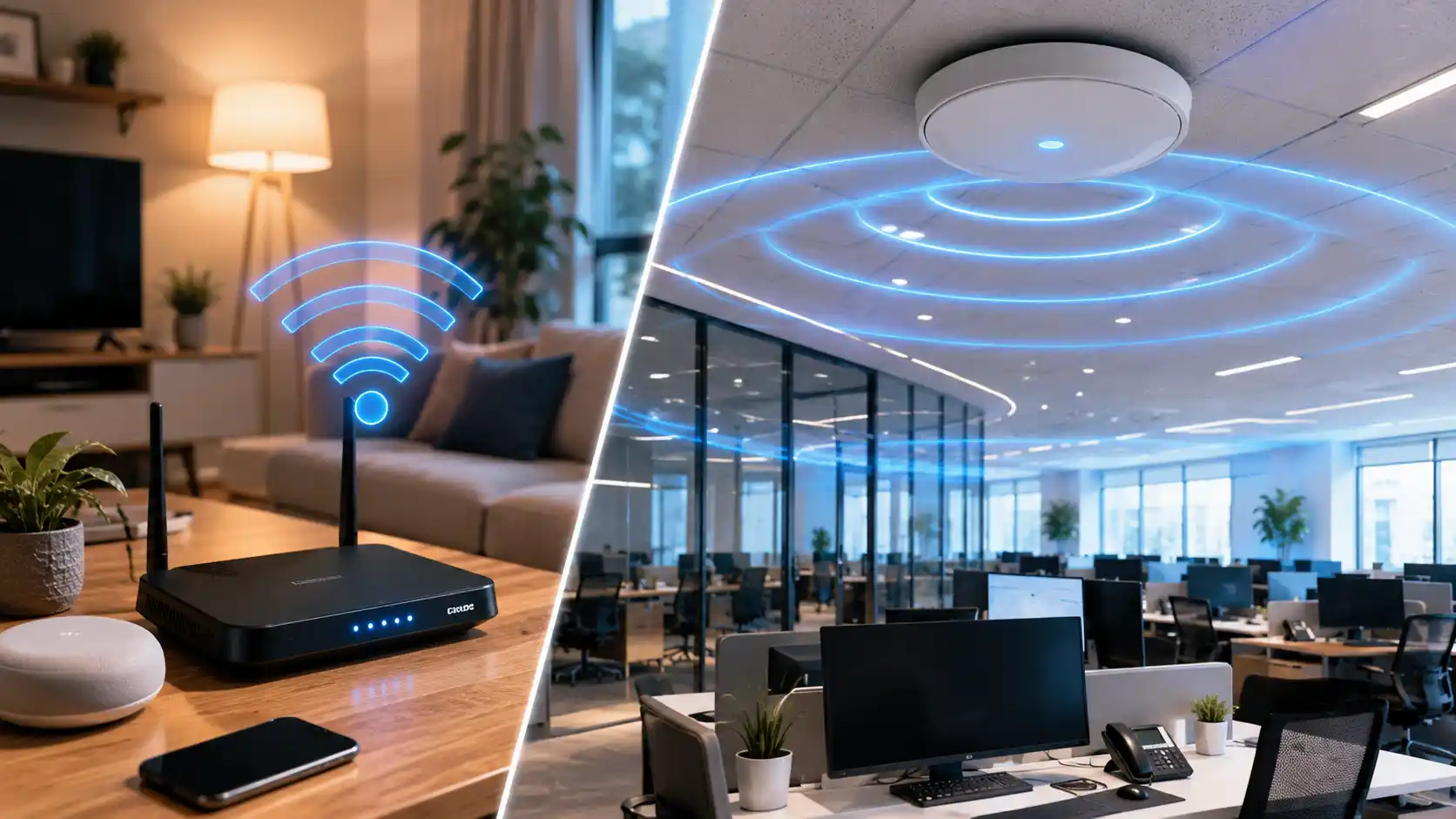
WiFi has become one of those things people only think about when it stops working properly.
At home, a weak signal in the back room might be frustrating. A video may buffer, a phone may drop off the network, or someone may need to move closer to the router. It is annoying, but usually manageable.
In a business, poor WiFi is different.
It can interrupt staff productivity, delay customer service, affect payment systems, slow down cloud applications, disrupt video meetings, and create daily frustration across the workplace. For many small and medium-sized businesses, WiFi is no longer a convenience. It is part of the operating environment.
That is why business WiFi needs to be planned differently from home WiFi.
Many businesses invest in new internet plans, routers, or access points because they assume the problem is speed. They think, “We just need faster internet,” or “We need a stronger router.” Sometimes that is true. But often, the real issue is not the internet plan at all. It may be the layout of the building, the thickness of walls, poor access point placement, too many connected devices, interference from nearby networks, or overloaded areas where staff and customers are using WiFi at the same time.
This is where a professional WiFi site survey becomes important.
A site survey helps businesses understand how their wireless network actually performs inside the space, rather than guessing. It looks at coverage, signal strength, interference, user density, access point placement, and the way people and devices move through the workplace. In other words, it helps businesses make network decisions based on evidence, not assumptions.
For businesses working with providers like ICTechnology, this kind of approach is part of a broader focus on building reliable, well-planned IT environments. Rather than jumping straight into hardware upgrades, the emphasis is on understanding how the network fits within the business as a whole—how staff work, how systems are used, and how the physical space affects performance. This allows businesses to explore solutions, services, and support options in a way that aligns with their operations, rather than applying a one-size-fits-all fix.
For growing businesses, this can prevent wasted hardware spend, ongoing performance complaints, and future network headaches.
Why Home WiFi and Business WiFi Are Not the Same
Home WiFi is usually designed for a simple environment. A typical household may have phones, laptops, smart TVs, tablets, gaming consoles, and a few smart home devices. Most users are doing similar activities, such as browsing, streaming, video calling, and general internet use.
A business environment is more complex.
There may be staff laptops, desktops, printers, EFTPOS terminals, VoIP phones, tablets, security cameras, access control systems, point-of-sale devices, warehouse scanners, meeting room screens, guest devices, and cloud-based business applications all relying on the same network. Some devices are stationary, while others move across the premises throughout the day.
The network also has to support different types of users. Staff may need secure access to business systems. Customers may need guest WiFi. Contractors may need limited access. Managers may need reliable video conferencing. Operations teams may need stable connectivity across offices, storage areas, clinics, showrooms, warehouses, or workshops.
That level of demand is very different from a home setup.
Business WiFi also needs to be more secure. A home router usually has one main network and one password. In a business, that approach can be risky. Staff devices, guest devices, payment systems, internal files, and operational equipment should not all sit on the same open network. Proper business WiFi can separate users and devices into different network segments, helping reduce unnecessary exposure.
Reliability also matters more. At home, restarting the router may be acceptable. In a business, downtime can affect revenue, service quality, staff morale, and customer trust.
This is why business WiFi should not be treated as “home WiFi with a bigger router”. It needs proper planning.
The Common Mistake: Buying Hardware Before Understanding the Space
A common mistake businesses make is purchasing new networking equipment before understanding the actual cause of their WiFi problems.
For example, a business may notice that the back office has poor WiFi. The first reaction is to buy a stronger access point or upgrade the internet plan. But after installation, the issue remains. Why? Because the problem was never the internet speed. It was a concrete wall, poor access point placement, signal overlap, or interference from nearby networks.
Another business may install multiple access points, thinking more hardware will automatically improve coverage. But too many access points in the wrong locations can create interference and roaming issues. Staff may find their laptops or phones clinging to a weaker access point instead of moving smoothly to the closest one.
A café may blame its provider because payment terminals keep dropping out, when the real issue is congestion from customer devices. A clinic may blame its cloud software, when the WiFi signal in treatment rooms is unstable. A warehouse may assume WiFi cannot reach certain areas, when the access points simply need better positioning and channel planning.
Without a proper assessment, businesses can spend money in the wrong places.
This is why a site survey should happen before major WiFi upgrades. It helps identify what is actually happening in the building, where the weaknesses are, and what changes will provide the best result.
What Is a Professional WiFi Site Survey?
A professional WiFi site survey is an assessment of how wireless signals behave inside a physical space.
It is not just someone walking around and checking whether their phone has bars. It is a more structured process that looks at signal strength, coverage gaps, interference, access point locations, channel usage, physical barriers, and network performance across different parts of the premises.
A site survey may include:
- Measuring wireless signal strength in key areas
- Identifying dead zones or weak coverage areas
- Checking where access points are currently installed
- Reviewing interference from nearby WiFi networks or devices
- Assessing how walls, floors, doors, glass, shelving, machinery, and furniture affect signal
- Understanding how many users and devices connect in different zones
- Reviewing where high-demand areas are located
- Recommending the right access point placement
- Helping design a network that supports future growth
The goal is simple: to understand the wireless environment properly before making changes.
A business may think it has a WiFi issue in one room, but the survey may reveal a broader design problem. It may show that the access point is installed too low, blocked by shelving, placed too far from key work areas, or competing with another nearby access point on the same channel.
A site survey turns vague complaints like “the WiFi is bad” into useful information such as “this area has weak signal strength”, “this zone is overloaded during peak hours”, or “this access point should be moved to improve coverage”.
That information makes the upgrade process much more effective.
Building Layout Has a Bigger Impact Than Most People Realise
WiFi does not move through a building perfectly. It is affected by the physical environment.
Walls, floors, doors, glass, metal frames, shelving, partitions, equipment, and even furniture can change how wireless signals travel. A router or access point that works well in one building may perform poorly in another building with a different layout.
For example, open-plan offices may have fewer physical barriers, but they can have higher user density. Warehouses may have large open spaces, but metal racking and stock can block or reflect signals. Medical and dental clinics often have multiple rooms, specialist equipment, internal walls, and devices that require stable connectivity. Retail spaces may need coverage across counters, fitting areas, stock rooms, and customer zones.
This is why access point placement matters.
Putting an access point in the most convenient location is not always the same as putting it in the best technical location. It may be easier to install equipment near an existing power point or ceiling tile, but that does not mean it will deliver the best performance.
A professional site survey helps determine where access points should be placed based on coverage, usage, cabling, interference, and business needs.
User Density Can Make Good WiFi Feel Bad
Coverage is only one part of WiFi performance.
A business may have full signal bars and still experience slow or unstable WiFi. This often happens when too many users or devices are connected in the same area.
Think about a meeting room. On paper, it may only be one room. In practice, it could have ten people using laptops, phones, video conferencing, screen sharing, cloud documents, and messaging apps at the same time. That room needs more than basic coverage. It needs capacity.
The same applies to reception areas, classrooms, training rooms, waiting rooms, cafés, showrooms, and shared workspaces. These areas may experience short bursts of heavy usage, especially during meetings, events, peak customer times, or staff changeovers.
Home WiFi is not usually designed for that kind of density.
Business WiFi needs to consider how many people and devices are likely to connect at once, where they are located, what applications they use, and how important those applications are to daily operations.
A site survey helps identify overloaded areas and ensures the network design can support real-world usage, not just theoretical coverage.
Interference Is Often Invisible but Very Real
One of the most frustrating parts of WiFi troubleshooting is that the problem is not always visible.
You can see a wall. You can see where the router is installed. But you cannot easily see interference without the right tools.
WiFi uses shared radio frequencies, which means nearby networks and devices can affect performance. In busy buildings or business districts, multiple neighbouring networks may be competing for space. Other equipment can also contribute to interference, depending on the environment.
This can lead to slow speeds, dropouts, inconsistent performance, or devices struggling to stay connected.
The challenge is that interference may not affect every area equally. One office may work perfectly, while another area has constant problems. One device may remain connected, while another keeps dropping out. One part of the day may be fine, while peak hours become unreliable.
A site survey helps identify these patterns.
Instead of guessing, the business can understand whether the issue is coverage, interference, congestion, hardware placement, or a combination of factors.
Business WiFi Needs Better Security
Security is another major difference between home WiFi and business WiFi.
In a home environment, one WiFi password may be enough for everyday use. In a business, that approach can expose the organisation to unnecessary risk.
For example, guests should not be on the same network as internal business systems. Staff devices should not necessarily have the same access as printers, cameras, payment terminals, or operational equipment. Former employees should not retain access through an old shared password. Unmanaged personal devices should not have unrestricted visibility across the network.
Business WiFi should be designed with separation and control in mind.
This may include guest networks, staff networks, device-specific networks, stronger authentication, better password practices, network monitoring, and security policies that match the way the business operates.
For small and medium-sized businesses, this is especially important because cyber threats do not only target large organisations. Many attacks are automated and look for weak points. An insecure router or poorly managed wireless network can become one of those weak points.
A well-designed business WiFi network helps support both performance and security.
The Cost of Poor WiFi Is More Than an IT Problem
Poor WiFi can quietly affect a business in many ways.
Staff may lose time reconnecting devices, refreshing cloud software, or moving around the office to find a better signal. Video meetings may become awkward or unprofessional. Customers may become frustrated if payment systems are slow. Team members may blame software, hardware, or each other when the real issue is the network.
Over time, these small interruptions add up.
The cost is not only technical. It can affect productivity, customer experience, staff confidence, and decision-making. When WiFi problems become normal, people start working around them instead of fixing them. They use mobile hotspots, avoid certain rooms, delay tasks, or accept slow systems as “just how it is”.
That is not a sustainable way to operate.
For growing businesses, reliable WiFi should be viewed as part of the foundation. Just like power, lighting, furniture, and internet access, wireless connectivity needs to suit the physical space and the way the business works.
Why a Site Survey Saves Money in the Long Run
A professional site survey may feel like an extra step, but it can save money by preventing the wrong upgrades.
Without a survey, businesses may buy equipment they do not need, place access points in poor locations, overcomplicate the network, or fail to solve the real issue. This leads to repeated callouts, frustrated users, and more spending later.
With a site survey, the business has a clearer plan.
It can understand:
- Where WiFi is weak
- Where signal interference exists
- Which areas are overloaded
- Whether existing equipment can be reused
- How many access points are actually needed
- Where access points should be placed
- Whether cabling changes are required
- How to support guest access securely
- How to prepare the network for future staff, devices, and locations
This makes the investment more strategic.
Instead of reacting to complaints, the business can make informed decisions and build a network that supports current and future needs.
When Should a Business Consider a WiFi Site Survey?
A business should consider a WiFi site survey when:
- Staff regularly complain about slow or unstable WiFi
- Certain rooms or areas have weak coverage
- Video calls drop out or freeze
- Cloud software feels slow inside the premises
- EFTPOS, tablets, phones, or printers lose connection
- The business is moving office or opening a new location
- The number of staff or devices has grown
- Customers are using guest WiFi
- The business is planning to upgrade routers or access points
- There are plans to introduce more cloud systems, security cameras, or smart devices
A survey is especially useful before purchasing new hardware.
It gives the business a clear understanding of what is needed, rather than relying on guesswork.
How ICTechnology Helps Businesses Plan Better WiFi
For businesses looking to move beyond guesswork, having the right guidance can make all the difference.
ICTechnology helps businesses approach WiFi as a planned business system, not just a router sitting in the corner.
Working with SignalBridge, ICTechnology can help assess the wireless environment before major upgrades are made. This includes professional WiFi site surveys, network analysis, and tailored recommendations based on the actual space, user needs, device types, and business operations.
The goal is to help businesses understand what is happening across their premises and design a stronger, more reliable wireless network.
This may include identifying weak spots, reviewing access point placement, detecting overloaded areas, planning for guest and staff access, and recommending practical improvements that suit the business. For some organisations, that may mean repositioning access points. For others, it may mean upgrading equipment, improving network segmentation, adding capacity in high-use areas, or planning a more complete wireless design.
ICTechnology’s role is to help businesses make informed decisions before spending money on hardware or network changes. By combining practical IT experience with professional wireless assessment through SignalBridge, ICTechnology can support workplaces that rely on stable connectivity for staff, customers, devices, and future growth.
Strong Business WiFi Starts With Understanding the Space
Business WiFi is different from home WiFi because the expectations are different.
A business network needs to support more users, more devices, more security requirements, more applications, and more operational pressure. It needs to work across real buildings with walls, interference, busy rooms, shared spaces, customer areas, and changing demands.
That is why guessing is risky.
A professional WiFi site survey gives businesses the information they need to make better decisions. It helps identify what is really causing performance issues and what should be done to fix them. It can prevent wasted spending, reduce frustration, improve user experience, and support a more reliable workplace.
For small and medium-sized businesses, strong WiFi is not just about speed. It is about planning, coverage, capacity, security, and confidence.
Before investing in another router, access point, or internet upgrade, it is worth asking a better question:
Do we actually understand how WiFi performs inside our business?
If you are unsure, it may be time to take a closer look. A simple conversation can often uncover where the issues are and what steps make sense next. If you would like guidance on improving your business WiFi or understanding whether a site survey is right for your environment, you can reach out to ICTechnology for practical advice tailored to your setup.
Because better WiFi does not start with buying more equipment. It starts with understanding your space.
Interested in a Quote and Consultation? Reach out to:
[email protected]
Need Help on setting up Business WiFi or Home WiFi? Please reach out!
[email protected]
Any other enquiries?
Fill out our Contact Form here.
References
Australian Communications and Media Authority. (2025). Improving your home internet. Retrieved from https://www.acma.gov.au/improving-your-home-internet
Australian Competition and Consumer Commission. (2026). Broadband performance data. Retrieved from https://www.accc.gov.au/consumers/telecommunications-and-internet/broadband-performance-data
Australian Cyber Security Centre. (2023). Small business cyber security guide. Retrieved from https://www.cyber.gov.au/business-government/small-business-cyber-security/small-business-hub/small-business-cyber-security-guide
Australian Cyber Security Centre. (2024). Secure your Wi-Fi and router. Retrieved from https://www.cyber.gov.au/protect-yourself/staying-secure-online/secure-your-wifi-and-router
Cisco. (n.d.). Understand site survey guidelines for WLAN deployment. Retrieved from https://www.cisco.com/c/en/us/support/docs/wireless/5500-series-wireless-controllers/116057-site-survey-guidelines-wlan-00.html
Cisco. (n.d.). Wireless site survey FAQ. Retrieved from https://www.cisco.com/c/en/us/support/docs/wireless-mobility/wireless-lan-wlan/68666-wireless-site-survey-faq.html
Signal Bridge. (n.d.). Retrieved from https://signalbridge.com.au/