WiFi Site Surveys: The Step Most Businesses Skip Before Upgrading Their Network
When a business starts experiencing slow internet, dropouts, poor video calls, or staff complaints about weak signal, the first reaction is often simple: upgrade the internet plan, buy a stronger router, or add more access points.
On the surface, that makes sense. If the network feels slow, surely more speed or more hardware should fix the issue.
But in many workplaces, the real problem is not the internet plan at all. It is how the wireless network behaves inside the space.
A business can pay for a fast connection and still have frustrating WiFi. Staff may struggle to connect in meeting rooms. EFTPOS terminals may drop out at the front counter. Cloud-based systems may feel unreliable. Customers may complain that the guest WiFi barely works. Meanwhile, the internet provider may confirm that the connection itself is performing correctly.
This is where many businesses get caught. They upgrade before they understand the environment.
At ICTechnology, our team often sees businesses facing these exact challenges while trying to improve their networks. Whether they are exploring better connectivity, reviewing their current setup, or simply trying to understand why their WiFi is not performing as expected, the starting point is usually the same: gaining clarity before making changes. Taking the time to understand how a network behaves within a real business environment can make a significant difference to the outcome.
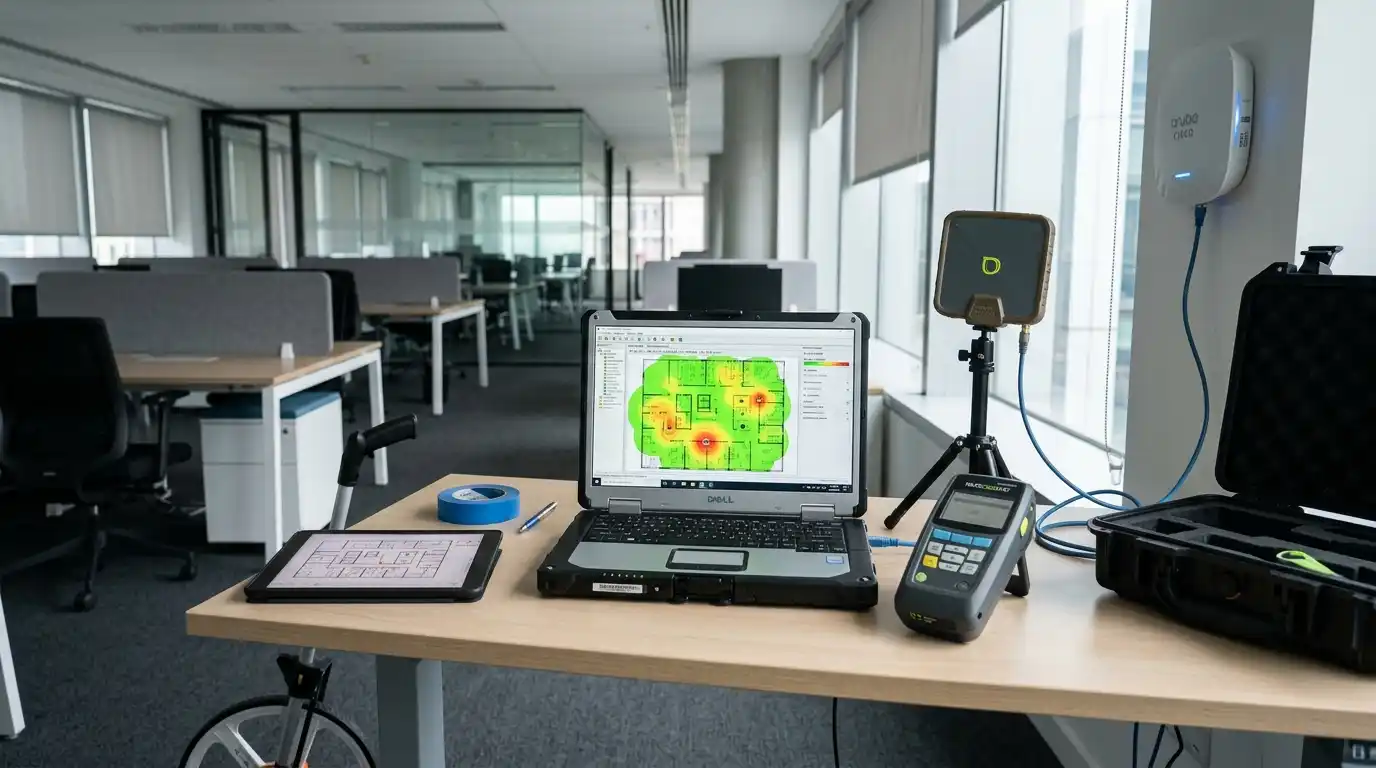
A professional WiFi site survey helps remove the guesswork. It looks at how the building, users, devices, interference, and access point placement affect wireless performance. Rather than assuming where the issue is coming from, a site survey gives a clear picture of what is actually happening.
For small and medium businesses, this step can save money, reduce frustration, and help prevent the cycle of buying equipment that does not solve the real problem.
Why WiFi Problems Are Not Always Internet Problems
It is easy to blame the internet connection when a page loads slowly or a video call freezes. However, WiFi is only one part of the wider network experience.
Think of internet as the road leading to your business, and WiFi as the roads inside your building. Even if the main road is fast, traffic can still get stuck inside the car park if the internal layout is poor.
The same applies to business networks. Your internet plan may be capable of delivering strong performance, but the WiFi inside the premises may be affected by several factors, including:
- Thick walls, glass, concrete, metal, or insulation
- Distance between users and access points
- Interference from neighbouring networks
- Too many devices connected in one area
- Poor access point placement
- Old or mismatched devices
- Incorrect channel planning
- Congestion during peak business hours
- Business equipment that depends on constant connectivity
This is why two businesses with the same internet speed can have completely different experiences. One may enjoy smooth cloud access and reliable video calls, while another may constantly deal with dropouts and slow performance.
The difference is often not the plan. It is the environment.
The Common Mistake: Upgrading Before Measuring
Many businesses upgrade their network in a reactive way. Someone complains, the business adds another access point. The meeting room has poor signal, so someone installs a booster. Staff say the internet is slow, so the business orders a faster plan.
Sometimes this helps. Often, it only shifts the problem.
Adding more access points without proper planning can create new issues. If access points are too close together, they may interfere with each other. If they are placed in the wrong areas, they may cover spaces that do not need coverage while leaving important areas weak. If the channels are not configured properly, devices may struggle to choose the best connection.
This is a bit like adding more speakers to a room because the sound is unclear. More speakers do not always make the sound better. If they are placed incorrectly, the room may become louder but not clearer.
The same applies to WiFi. More hardware does not always mean better performance.
A site survey helps businesses avoid this mistake by measuring the current environment before making decisions. It helps answer questions such as:
- Where is the signal strong?
- Where is the signal weak?
- What areas are overloaded?
- Are nearby networks causing interference?
- Are access points placed correctly?
- Are the current devices suitable for the business?
- Will the network support future growth?
Without these answers, an upgrade becomes guesswork.
What Is a WiFi Site Survey?
A WiFi site survey is a professional assessment of a wireless environment. It helps identify how WiFi signals move through a building and how different conditions affect performance.
In simple terms, it shows what the WiFi is actually doing, not what the business hopes it is doing.
A proper site survey may include checking signal strength, coverage gaps, interference, channel usage, device density, access point location, roaming behaviour, and network performance in different parts of the site.
There are different types of WiFi site surveys, and each serves a purpose.
A predictive survey is usually done before installation. It uses floor plans, expected usage, building materials, and access point models to estimate how WiFi should perform. This is useful for new offices, fit-outs, warehouse changes, or businesses planning a fresh network design.
A passive survey collects information about existing wireless signals. It helps identify current coverage, interference, signal quality, and nearby networks.
An active survey tests the real user experience by connecting to the network and measuring performance. This can help reveal issues with speed, roaming, latency, and connectivity.
For many businesses, the best approach may combine more than one method. The goal is not just to create a colourful heat map. The goal is to understand how the network supports the people, systems, and operations inside the business.
Why Building Layout Matters More Than Most People Think
WiFi does not move evenly through every building. It behaves differently depending on the layout and materials.
An open-plan office may need fewer access points than a medical clinic with several treatment rooms. A warehouse may have high ceilings, shelving, machinery, and large open areas that affect signal behaviour. A café may have staff devices, customer WiFi, EFTPOS terminals, ordering systems, and cameras operating in a small but busy space.
Even simple features can cause problems. Glass meeting rooms may look modern but can affect signal quality. Concrete walls can weaken signal. Metal shelving can reflect or block wireless coverage. Lifts, kitchens, and electrical rooms may introduce interference or dead zones.
This is why placing an access point “somewhere in the middle” is not always enough.
A site survey considers the building as it actually is. It helps determine where access points should be placed to support the way people move and work.
For example, a professional services office may need stronger coverage in meeting rooms because of video conferencing. A retail store may need reliable front-of-house coverage for payment systems. A warehouse may need consistent roaming for handheld scanners. A healthcare practice may need stable connectivity across reception, consulting rooms, imaging areas, and administration spaces.
Each environment has different needs. A good WiFi design should reflect that.
User Density Can Change Everything
A WiFi network that works well with five people may struggle when twenty people arrive for a meeting. A café network may perform well in the morning but slow down during lunch. A training room may be fine when empty but overloaded when every attendee connects a laptop and phone.
User density matters because WiFi is shared. The more devices that connect, the more the available capacity is divided.
It is also not just the number of people. It is the number and type of devices. A single staff member may have a laptop, mobile phone, tablet, wireless headset, and smartwatch. Businesses may also have printers, cameras, phones, smart screens, payment devices, sensors, scanners, and guest devices.
Some devices use only small amounts of data. Others need stable, low-latency connections. Video meetings, cloud-based applications, VoIP calls, large file transfers, and remote desktops can place heavier demands on the network.
This is where many business WiFi setups fail. They are designed for coverage, but not for capacity.
Coverage means the signal reaches the area. Capacity means the network can handle the number of users and devices in that area.
A site survey helps businesses understand both. It can identify where devices are clustering, where access points may be overloaded, and where the network needs better distribution.
Interference: The Invisible Problem Behind Poor WiFi
One of the most frustrating parts of WiFi troubleshooting is that interference is not always obvious.
A business may have strong signal, but still experience poor performance. This can happen when the wireless environment is noisy or crowded.
Interference can come from neighbouring WiFi networks, old equipment, poorly configured access points, Bluetooth devices, wireless cameras, microwave ovens, cordless systems, or other electronics operating nearby.
In shared buildings, interference can be a major issue. A business may be affected by networks from nearby offices, retailers, clinics, or apartments. Even if your own equipment is modern, your network still has to operate in the same airspace as other wireless signals.
This is why channel planning matters.
If too many nearby access points are using the same or overlapping channels, performance can suffer. Devices may wait longer to transmit data, resulting in slower speeds, lag, or inconsistent connectivity.
A site survey can detect these issues and help determine whether the network needs channel adjustments, power changes, access point repositioning, or a more suitable wireless design.
Without a survey, interference often becomes a guessing game.
Why New Hardware Alone May Not Fix the Problem
New routers and access points can be excellent investments, but only when they are chosen and installed correctly.
Buying better hardware without a clear design can lead to disappointing results. A business may spend money on modern access points but still place them in the wrong locations. It may install too many devices and create interference. It may choose equipment that does not suit the number of users or the building layout.
Technology has also become more advanced. WiFi 6, WiFi 6E, and WiFi 7 can support better performance, but the real-world outcome still depends on planning, compatibility, spectrum availability, configuration, and device support.
For example, a business may buy access points that support newer standards, but most staff devices may not yet take full advantage of those features. Another business may benefit from newer wireless technology, but only if the environment is planned properly.
A site survey helps businesses invest with purpose. Instead of simply buying the most expensive equipment, the business can choose what is suitable for the space, users, devices, and future needs.
This is especially important for businesses that rely on cloud applications, VoIP phones, video conferencing, point-of-sale systems, booking platforms, digital signage, security cameras, or mobile devices.
In these environments, WiFi is not just a convenience. It is part of daily operations.
The Cost of Skipping a WiFi Site Survey
Skipping a site survey may seem like a way to save time or money, but it can become more expensive later.
Without proper planning, businesses may experience:
- Wasted spending on unnecessary hardware
- Poor access point placement
- Continued staff complaints
- Unreliable video calls
- Slow cloud application performance
- Weak coverage in important areas
- Guest WiFi issues
- Device dropouts
- Productivity loss
- Repeated troubleshooting costs
- Frustration between staff, managers, and IT providers
The hidden cost is often time.
Every time staff complain about WiFi, someone has to investigate. Every dropped call interrupts work. Every slow system delays a customer interaction. Every unreliable device affects confidence in the business systems.
For a growing business, these issues can become more painful over time. What starts as a small inconvenience can turn into a daily operational problem.
A site survey helps businesses act earlier. It gives decision-makers a clearer understanding of what needs to change before money is spent on upgrades.
What a Good WiFi Site Survey Should Help You Understand
A useful site survey should not only tell you where the signal is weak. It should help you make better decisions.
A strong survey should provide insight into:
- Current wireless coverage
- Weak spots and dead zones
- Interference sources
- Channel congestion
- Access point performance
- User and device density
- Roaming behaviour
- Coverage requirements by area
- Recommended access point placement
- Suitable hardware options
- Network settings and configuration improvements
- Future growth considerations
The recommendations should be practical. A business owner or manager should be able to understand what the issues are, why they matter, and what should happen next.
For example, the result may show that the business does not need a faster internet plan. It may need better access point placement. Or it may show that the current network is overloaded in one area and underused in another. It may identify interference from nearby networks, or show that older hardware is limiting performance.
The best outcome is clarity.
Instead of asking, “Why is the WiFi always bad?”, the business can ask, “What changes will improve the network in the areas that matter most?”
When Should a Business Book a WiFi Site Survey?
A WiFi site survey is useful before any major network upgrade, but it can also help when a business is dealing with ongoing performance problems.
Businesses should consider a survey when:
- Moving into a new office, clinic, warehouse, showroom, or retail space
- Renovating or changing the layout
- Expanding the team
- Adding more cloud-based systems
- Installing VoIP phones, cameras, scanners, or point-of-sale devices
- Receiving regular staff or customer complaints
- Experiencing dropouts in certain areas
- Upgrading access points or internet services
- Planning guest WiFi
- Preparing for future business growth
A survey is especially important when the business depends on wireless devices to serve customers or keep operations moving.
For example, a medical practice cannot afford unreliable connectivity in consulting rooms. A warehouse cannot have scanners dropping out between aisles. A professional office cannot keep losing video calls during client meetings. A retailer cannot risk payment systems failing at busy times.
In these situations, WiFi reliability directly affects service quality.
How ICTechnology Helps Businesses Plan Better WiFi Upgrades
Once the issues are clearly understood, the next step is putting a practical plan in place.
ICTechnology helps businesses take a more planned and practical approach to wireless networking. Rather than relying on guesswork, ICTechnology works with SignalBridge to help assess the WiFi environment before upgrades are made.
Through professional WiFi site surveys, network analysis, and tailored recommendations, ICTechnology can help identify weak coverage areas, overloaded zones, interference issues, and better access point placement.
This gives businesses a clearer understanding of what needs to be improved and why.
ICTechnology’s role is to help businesses design a stronger, more reliable wireless network that supports staff, customers, devices, and future growth. This may include reviewing the current setup, planning access point locations, recommending suitable equipment, improving network configuration, and helping align the wireless design with how the business actually operates.
The aim is not simply to add more hardware. It is to create a WiFi environment that is fit for purpose.
For small and medium businesses, this approach can reduce wasted spending, improve user experience, and support smoother day-to-day operations.
A Smarter Network Starts With Better Visibility
WiFi issues can be frustrating because they often feel random. One room works well, another does not. One device connects smoothly, another struggles. The network seems fine at quiet times, then slows down when the business is busy.
A WiFi site survey helps turn those frustrations into facts.
Before upgrading internet plans, buying new routers, or adding access points, businesses should understand how their space performs from a wireless perspective. The layout, walls, interference, user density, device types, and business operations all play a role.
When businesses skip this step, they risk spending money without solving the real issue.
When they take the time to assess the environment properly, they can make smarter decisions, build a stronger network, and create a better experience for staff and customers.
If your business is planning a network upgrade or experiencing ongoing WiFi issues, taking the first step with a proper assessment can make all the difference. You can contact ICTechnology to discuss your current setup and explore whether a WiFi site survey is the right next move for your environment.
In today’s connected workplace, reliable WiFi is not just a technical detail. It is part of how a business operates, communicates, serves customers, and prepares for growth.
Because better visibility leads to better decisions, and better decisions lead to stronger, more reliable networks.
Interested in a Quote and Consultation? Reach out to:
[email protected]
Need Help on WiFi SIte Surveys? Please reach out!
[email protected]
Any other enquiries?
Fill out our Contact Form here.
References
Australian Communications and Media Authority. (2025). Improving your home internet. Retrieved from https://www.acma.gov.au/improving-your-home-internet
Australian Competition and Consumer Commission. (2026). Broadband performance data. Retrieved from https://www.accc.gov.au/consumers/telecommunications-and-internet/broadband-performance-data
Australian Cyber Security Centre. (2023). Small business cyber security guide. Retrieved from https://www.cyber.gov.au/business-government/small-business-cyber-security/small-business-hub/small-business-cyber-security-guide
Australian Cyber Security Centre. (2024). Secure your Wi-Fi and router. Retrieved from https://www.cyber.gov.au/protect-yourself/staying-secure-online/secure-your-wifi-and-router
Cisco. (n.d.). Understand site survey guidelines for WLAN deployment. Retrieved from https://www.cisco.com/c/en/us/support/docs/wireless/5500-series-wireless-controllers/116057-site-survey-guidelines-wlan-00.html
Cisco. (n.d.). Wireless site survey FAQ. Retrieved from https://www.cisco.com/c/en/us/support/docs/wireless-mobility/wireless-lan-wlan/68666-wireless-site-survey-faq.html
Signal Bridge. (n.d.). Retrieved from https://signalbridge.com.au/