Reducing delays caused by lost plans, emails and project documents
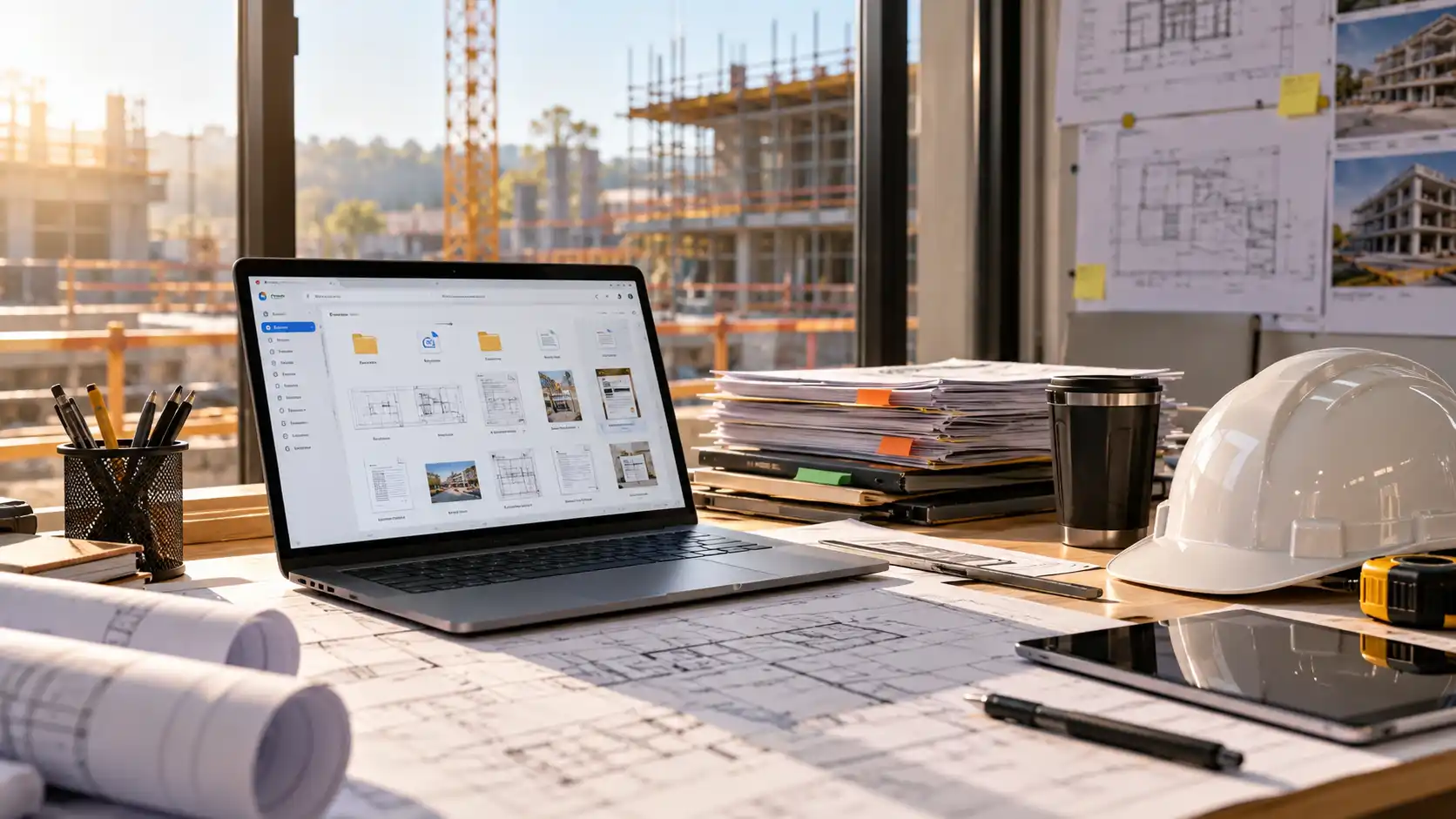
Reducing delays on a project often comes down to one question: can your team find the right file when they need it? It’s 7.15am and the site supervisor is on the phone. The steel fixer wants to know which drawing is current: revision C from last Tuesday’s email, or revision D the architect mentioned on a call. Nobody is certain, so work pauses while three people dig through inboxes, a shared drive and someone’s desktop.
Most project-based businesses know this scene. Plans, RFIs, quotes and approvals arrive by email, chat apps and file-sharing links, and every channel creates another copy. This article explains why scattered files cause delays and how structured cloud document storage, document control and clear user access permissions fix the problem.
Key takeaways
- Scattered files cost you twice: once while people search for the right version, and again when work built from the wrong one is redone.
- Cloud document storage gives everyone one searchable home for plans, emails and project records, in the office or on site.
- Version control documents keep a full change history, so teams open the latest revision and can recover from mistakes.
- User access permissions based on role keep sensitive files private while giving staff and subcontractors what they need.
- Emailed attachments are a leading cause of misdirected information, so sharing links from a controlled library is safer.
Why lost documents slow projects down
Lost or outdated documents slow projects because almost every task depends on having the right information at the right moment.
- Time disappears into searching. Staff chase files across inboxes, folders and phones instead of doing billable work.
- The wrong version gets used. A superseded drawing or old quote can lead to rework, disputes and unhappy clients.
- Knowledge walks out the door. When a project manager leaves, their inbox may hold the only copy of key approvals.
Document management for construction is especially demanding because drawings change constantly and many parties touch them, from architects and engineers to certifiers and trades. Yet the same problem hits any team juggling client files across several projects.
The common causes of document chaos
Document chaos usually builds as a business grows and adds tools without a plan.
- Email used as a filing cabinet. Important files sit as attachments in individual inboxes where nobody else can find them.
- Too many storage locations. An old file server, personal cloud accounts, laptops and USB drives all hold different copies.
- No naming rules. “Final_v2_REAL_final.pdf” tells nobody which version is current. One government records office’s advice on document naming conventions suggests putting the subject first, using one date format and adding two-digit version numbers such as V04.
- Unclear permissions. Either everyone can edit everything, or people wait days for access to the folder they need.
| Area | Scattered files | Structured cloud document storage |
| Finding a file | Search several inboxes, drives and devices | One searchable library per project or client |
| Current version | Unclear; multiple copies exist | One live file with automatic version history |
| Sharing with outsiders | Attachments emailed back and forth | Controlled links that can be limited or removed |
| Access control | Everyone sees everything, or nobody can get in | Role-based user access permissions |
| When staff leave | Knowledge locked in personal inboxes | Records stay with the business |
The hidden risks: security, privacy and data loss
Scattered files also create risk, and email is a common weak point. In the privacy regulator’s Notifiable Data Breaches report for July to December 2024, 71 of the 170 breaches caused by human error (42%) happened when personal information was emailed to the wrong recipient. Human error then rose to 37% of all notified breaches in January to June 2025, up from 29% in the previous period.
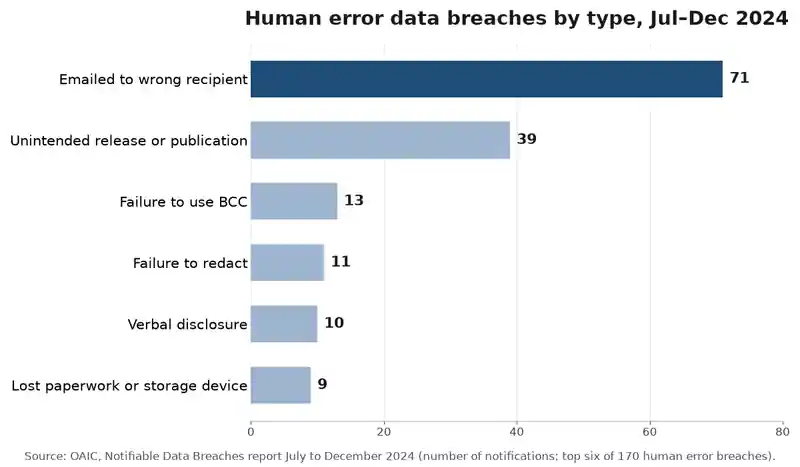
Source: OAIC, Notifiable Data Breaches report July to December 2024
A link shared from a controlled library can be withdrawn if it reaches the wrong person; an attachment can’t. Loss is the other risk. A dead laptop or a ransomware attack can wipe out the only copy of a project’s records, which is why many firms now weigh cloud storage against physical storage and keep three copies, on two media types, with one offsite.
What good document management looks like
Good document management means every file has one home, one current version and clear rules about who can see or change it.
Structured cloud document storage
Microsoft 365 for business bundles email, Teams, OneDrive and SharePoint into one place to store and work on files. SharePoint for construction projects typically means a document library per job, with folders for drawings, RFIs, safety records and correspondence. Teams channels sit on top of those libraries, keeping conversations and files together, one of several ways Microsoft 365 makes teamwork smoother.
Version control documents
SharePoint keeps a version history automatically, showing who changed a file and when, and letting you restore an earlier copy. Several people can co-author one document instead of emailing copies. A simple status column, such as “For construction” or “Superseded”, makes the current drawing obvious.
User access permissions
People should get only the access their role needs. The privacy regulator’s guide to securing personal information recommends limiting internal access to those who need it and revoking it promptly when it’s no longer required. Subcontractors can be invited as guests to a single project folder, while finance and HR files stay private. Multi-factor authentication, one of the Essential Eight mitigation strategies, protects accounts if a password is stolen and underpins a secure modern workplace.
Practical steps to get your documents under control
You don’t need to overhaul everything at once.
- Map where files live. List every inbox, drive, device and cloud account holding business documents.
- Agree on a structure and naming convention. Keep folders shallow, names consistent and the rules written down.
- Choose one platform. Pick a single home for project files and stop saving to personal accounts and USB drives.
- Set permissions by role. Create groups for office staff, site teams, management and external partners.
- Migrate, then retire old locations. Move active files and make old shares read-only, a habit that helps you sidestep common Microsoft 365 migration roadblocks.
- Back up and review. Under the cloud shared responsibility model, protecting your data is still partly your job, so add separate backups and check access regularly.
Why acting early pays off
Fixing document management mid-project means moving files while people rely on them, which invites confusion. Setting it up before the next job is quicker, cheaper and less disruptive. Pairing the clean-up with cloud backup built for small teams protects those newly organised files from the start.
How ICTechnology helps teams find the right file faster
ICTechnology helps businesses improve document access and collaboration through Microsoft 365, SharePoint, cloud storage and secure user permissions. As a Microsoft partner, its Microsoft 365 support covers migration with minimal disruption, file management solutions built on SharePoint and Teams, and security measures such as multi-factor authentication and data encryption.
For businesses moving off ageing servers, cloud migration services and a fully managed private cloud offer secure alternatives. Project records are then protected by a data backup service and disaster data recovery planning.
Construction businesses such as formwork contractors Future Form and Fastform already rely on ICTechnology for IT support. With over 20 years of supporting clients’ IT and network infrastructure, a team that includes a Microsoft Certified Systems Engineer and support available onsite and remotely, ICTechnology works as an extension of your business.
Frequently asked questions
What is document management for construction?
Document management for construction is the system a business uses to store, version, share and control project files such as drawings, RFIs, contracts and safety records. It gives every file one home and makes the current revision obvious.
Why is version control important for business documents?
Version control stops people working from outdated files. It records who changed what and when, lets you restore earlier copies and ends the confusion of multiple “final” versions.
Is SharePoint good for construction companies?
Yes, SharePoint suits many construction companies, especially those already using Microsoft 365. It offers project document libraries, automatic version history, co-authoring and controlled guest access for subcontractors, and it works on mobile devices.
How should a small business set up user access permissions?
Set permissions by role, not by individual. Give each group only the access it needs, use guest access for outsiders, turn on multi-factor authentication and review access whenever someone joins, changes role or leaves.
What are the risks of sharing project files by email?
The main risks are lost time, outdated versions and data breaches. Attachments create untracked copies, and emails sent to the wrong recipient are a leading cause of human error breaches.
When should a business seek professional help with document management?
Seek help when files are spread across several systems, staff can’t find current versions, or you’re planning a move to Microsoft 365 or the cloud. ICTechnology can assess your setup and handle migration, permissions and backup.
Keeping every project on the same page
Lost plans and buried emails are usually a systems problem, not a people problem. One central home for files, clear version control and sensible permissions fix it. Start this week by mapping where one active project’s documents live; the gaps will show you where to begin.
Interested in a quote and consultation? Reach out to: [email protected]
Need help with your existing IT systems? Please reach out! [email protected]
Any other enquiries? Fill out our contact form here.