The technology checklist for opening a new retail store
The lease is signed, the shelving is ordered and the stock is on its way. Then someone asks when the internet will be connected, and nobody knows. It is a common story, which is why a new retail store technology checklist belongs in the project plan from day one.
Technology decides whether you open on time, whether the first card payment goes through and whether the premises are secure overnight. It also affects your budget, because a missed cable run is far cheaper to plan than to fix after opening. This guide covers the essentials in the order most owners need them.
Key takeaways
- Book business-grade internet early and plan a backup, because installation lead times can stretch longer than expected.
- A reliable retail store IT setup treats cabling, Wi-Fi, phones and POS as one connected system, not separate purchases.
- POS system installation should be tested under real trading conditions, including a fallback for when the connection drops.
- Retail security systems such as CCTV and access control are easiest to install during the fit-out, before ceilings and walls close.
- Cybersecurity basics cost little at setup and a great deal to add after an incident.
Start before the fit-out begins
Cabling, power and equipment locations are easiest to settle while walls are open. A good retail technology fit-out starts with a floor plan marked up for tills, access points, cameras, displays and a communications cabinet, then ends with testing before stock reaches the shelves. Share that plan with your builder and shopfitter, because many delays come from trades working without knowing what the others need. A single early walkthrough with your IT provider and shopfitter often saves a week of rework later.
Internet, Wi-Fi and phones
Start with the connection. Check early which services reach your address, since some premises need new lines. Business plans, such as nbn’s business range, are built for commercial use, so ask your provider what service levels apply and what happens if the line fails.
Then plan the wireless layer. Shelving, glass and crowds weaken signal, so a Wi-Fi site survey before installing access points prevents blind spots. If you are weighing consumer equipment, our comparison of business Wi-Fi and home Wi-Fi explains why it rarely copes with a busy shop, and our guide to retail Wi-Fi and the customer experience covers guest access.
Business internet and phone setup also means deciding on a main store number, handsets or mobiles, and how calls are answered when the shop is busy. Publish the number before opening, and run cabling to tills and fixed devices wherever you can. If you plan to use a cloud-based phone service, check that the connection has enough capacity for calls alongside payments and Wi-Fi.
POS system installation and payments
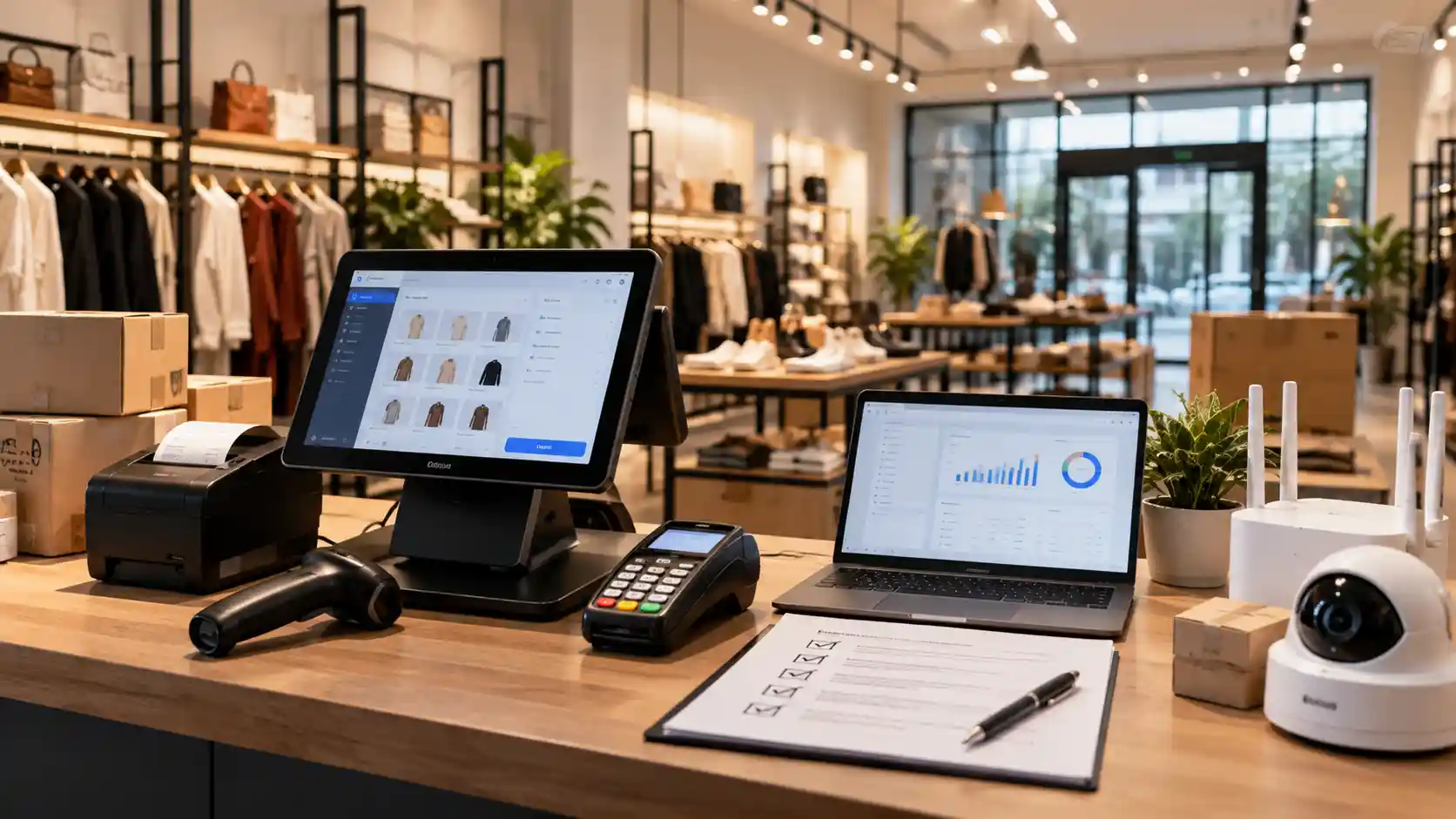
Your point of sale is the heart of the store, so treat POS system installation as a project, not a delivery. Confirm that terminals, receipt printers, scanners and cash drawers work together, and that the POS connects to your stock, accounting and online store.
Card and wallet payments dominate. The Reserve Bank’s 2025 Consumer Payments Survey found that around 15 per cent of payments were made in cash, so a store that struggles to take cards loses most of its sales. Test every payment type, refund and end-of-day report before opening, then simulate a dropped connection. Our advice on how stores reduce downtime during peak trading shows what a sensible fallback looks like.
Website, mobile and app
Shoppers check your hours, location and range on their phones before they walk in. Make sure your site is mobile-first, and keep your address and trading hours consistent online, which supports local SEO. If you sell online, link stock between channels and protect what customers share with you, as covered in our piece on protecting customer data. For most new stores, a fast mobile website comes before a dedicated app. If you do want an app for loyalty or click-and-collect, plan how it connects to your POS and stock early.
Retail security systems: CCTV and access control
Retail security systems cover cameras, alarms and door access. Plan camera positions for entrances, tills, stockrooms and car parks, and use access control for staff-only areas so keys do not leave with former employees. Power and cabling for all of this is far simpler during the fit-out.
Remember privacy. CCTV captures personal information, and the privacy regulator’s guidance on security cameras says people should be told they may be recorded and footage kept secure. Add signage to the plan and check local surveillance laws.
Staff devices and cybersecurity
New stores are attractive targets because settings are often left at default. The national cyber security agency’s Annual Cyber Threat Report 2024-25 put the average self-reported cost of cybercrime for small businesses at about $56,600 per report. Our overview of online security for retail businesses explains the common threats. Start with these basics:
- Turn on multi-factor authentication, change default router passwords and enable guest Wi-Fi, as the small business cyber security guide
- Give every team member their own login rather than a shared account.
- Keep tablets, handhelds and laptops updated, with endpoint protection in place.
- Separate payment, staff, guest and camera networks.
- Decide who owns each device, how new staff are set up and how a lost tablet is locked or wiped.
New store technology checklist at a glance
| Area | What to confirm | Complete by |
| Internet | Business-grade service booked, backup planned | Before fit-out |
| Cabling and Wi-Fi | Cable points marked, site survey done | During fit-out |
| Phones | Store number and handsets chosen | Before stock arrives |
| POS and payments | Hardware tested, fallback agreed | Before stock arrives |
| Website and mobile | Mobile site live, hours and address consistent | Before opening |
| CCTV and access control | Camera and door positions cabled, signage planned | During fit-out |
| Staff devices | Logins, updates and protection set | Before opening |
| Cybersecurity | Multi-factor authentication on, networks separated | Before opening |
Why planning ahead beats a rushed opening
Rushed technology is expensive technology. Last-minute installs mean paying for urgent work, compromising on cabling and skipping tests. A proactive plan books long lead-time items first, tests everything a week before opening and adds monitoring so faults surface before customers see them. Write down who to call when something fails, and keep those numbers at the till. Ongoing remote monitoring helps too, because it flags overloaded equipment or failing connections before they cost you a busy trading day.
Opening on time with ICTechnology’s support
ICTechnology supports retail businesses from planning through to installation, helping new locations open with the right technology foundations in place. Its networking services cover network design, installation, cabling and wireless connectivity, while its managed network service covers routers, switches, firewalls and service-level agreements.
Day-to-day issues sit with managed IT support. System security installations include CCTV and access control, and an onsite assessment is the best way to be quoted accurately. For online needs, there is web development, including mobile and e-commerce websites, and application and database development for custom business process solutions. To learn more, read about ICTechnology, meet the team or see why businesses choose ICTechnology.
Frequently asked questions
What should a new retail store technology checklist include?
A new retail store technology checklist should cover business internet, Wi-Fi and cabling, phones, POS and payments, a mobile-friendly website, CCTV and access control, staff devices and cybersecurity basics.
When should I start planning retail store IT setup?
Start as soon as the lease is signed and before the fit-out. Cabling and equipment positions are decided while walls are open, and internet installation can take time.
How can a new store protect itself from cyber threats?
Turn on multi-factor authentication, change default passwords, keep guest Wi-Fi separate, update every device and back up important data. These low-cost steps close the most common gaps.
What are the risks of ignoring technology planning?
Ignoring technology planning risks a delayed opening, failed payments, security gaps and costly cabling retrofits. Problems usually appear on opening day, in front of customers.
What should small retailers prioritise on a tight budget?
Prioritise reliable internet, a tested POS and basic security, in that order. Book early, avoid consumer-grade equipment for core systems and arrange a professional assessment before buying.
When should a retailer seek professional IT support, and can ICTechnology help?
Seek support once the fit-out is planned, or sooner if you are opening several sites. ICTechnology offers networking, managed network service, IT support and system security installations including CCTV and access control, and provides free consultations by phone or contact form.
Open the doors with confidence
A new store only gets one opening day. Work through the checklist, test what your customers will touch and sort cabling and security while the walls are still open, and you will trade with far fewer surprises. If you would like a second opinion on your technology plan before the fit-out begins, ICTechnology is happy to talk it through.
Interested in a quote and consultation? Reach out to: [email protected]
Need help with your Wi-Fi or network? Please reach out! [email protected]
Any other enquiries? Fill out our contact form here.