Why reliable Wi-Fi, powered by SignalBridge, is now part of the retail customer experience
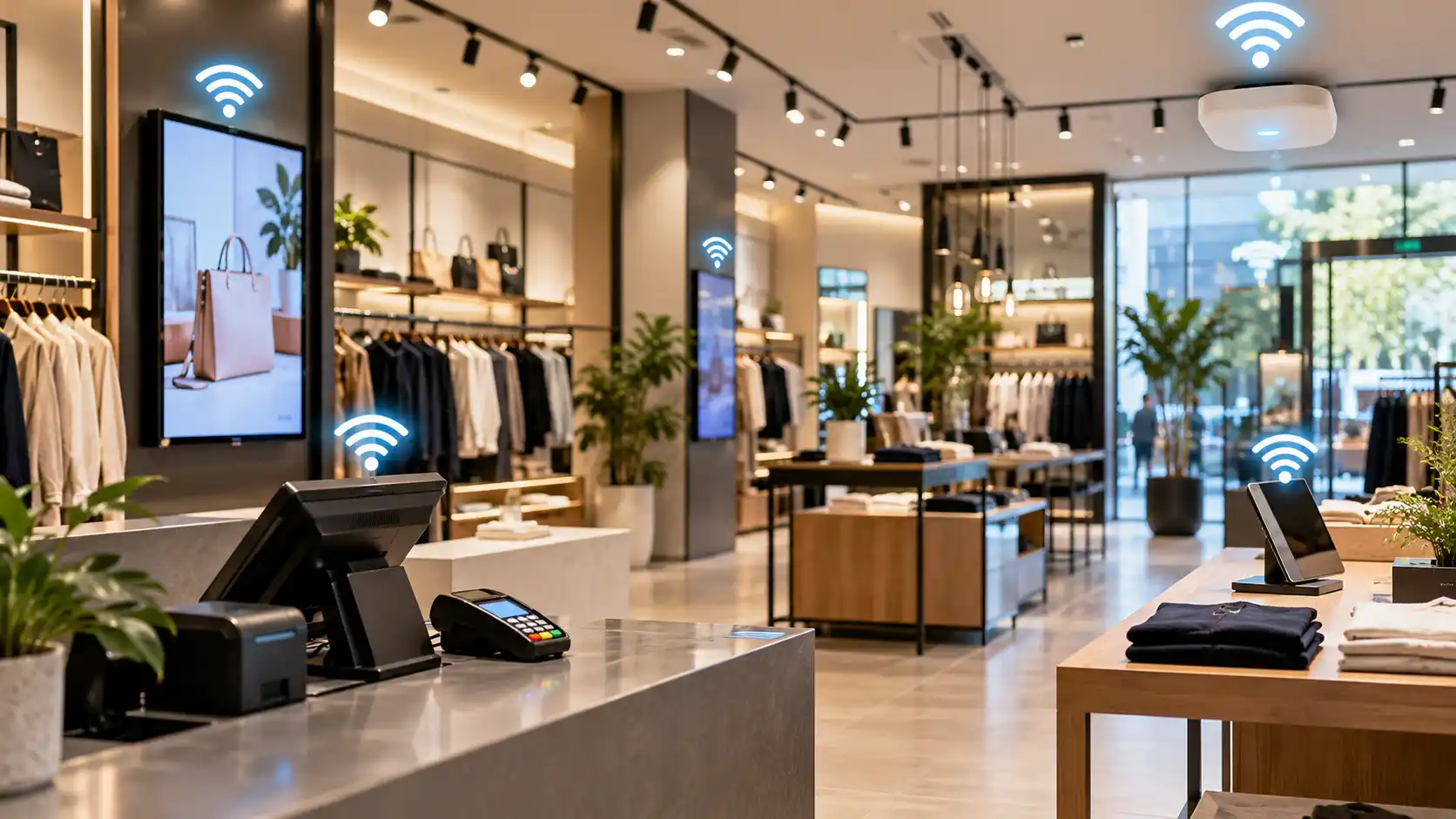
A shopper picks up a jacket, checks stock for another size on a staff tablet, then waits at the counter while the card terminal searches for a connection. Nobody blames the Wi-Fi. They blame the shop.
That is why retail Wi-Fi solutions now matter well beyond the back office. Wi-Fi sits behind payments, stock lookups, digital displays and the free connection offered to customers. With cards used for most in-person payments and 24% of retail spend now made online, a weak connection is a customer experience problem, not just an IT one.
Key takeaways
- A reliable business Wi-Fi network now supports payments, stock, staff devices, displays and customer access, so a fault shows up at the counter.
- EFTPOS connectivity depends on the whole network, not just the terminal, which makes coverage and capacity planning essential.
- Poor Wi-Fi costs efficiency first, then service quality, then sales, because staff and customers both wait.
- Guest Wi-Fi for retail adds value only when it is separated from payment and staff systems.
- Network infrastructure for retail should be designed around the store layout, tested under load and monitored continuously.
- Fixing Wi-Fi before a busy season is cheaper than fixing it during one.
Why Wi-Fi is now part of the retail customer experience
Shoppers judge a store by how smoothly it runs. Reliable Wi-Fi makes the smooth moments possible: a quick payment, an accurate stock answer, a promotion screen that works.
Payments show this clearly. The Reserve Bank’s 2025 Consumer Payments Survey reported that device-based payments, such as phone wallets, made up around 40 per cent of card payments, up from 31 per cent in 2022. Shoppers now expect tap-and-go to work every time, and many terminals and mobile card readers depend on the store’s network to complete a sale.
What a retail business Wi-Fi network has to support
A store network carries far more than laptops and phones. The table below shows what typically connects and what customers notice when it struggles.
| Connected device | Role in the store | What happens when Wi-Fi struggles |
| EFTPOS and mobile card readers | Take payments at the till or on the floor | Declined or delayed payments, queues |
| Handheld scanners and tablets | Check stock, price and orders | Staff walk away to find answers |
| Point-of-sale and stock systems | Record sales and update inventory | Slow tills, incorrect stock counts |
| Digital displays and signage | Show promotions and prices | Blank or outdated screens |
| Customer guest Wi-Fi | Lets shoppers browse and compare | Frustration, shorter visits |
| Cameras and smart devices | Support security and operations | Gaps in monitoring |
Common retail devices and the cost of an unreliable connection
This is why business Wi-Fi is built differently from home Wi-Fi. A shop has shelving, metal fixtures, glass and crowds, all of which weaken signal. A single router that works at home often cannot cope with dozens of devices moving through a busy floor.
How poor connectivity affects efficiency, service and sales
Weak Wi-Fi hurts in a predictable order. Efficiency goes first. Staff retry payments, walk to the back office for stock checks or reboot handhelds, and each small delay adds up across a trading day.
Service follows. Customers notice when a card is declined twice or a question takes five minutes to answer. Many will simply leave a full basket at the counter, and some will not return.
Then sales suffer, particularly at peak times, when more people and devices compete for the same capacity. Stable EFTPOS connectivity matters most when the queue is longest. Networks often fail because they were never designed for today’s device density, with gradual additions piling up until the system strains. The wider lesson from integrated networks that reduce downtime is that connected systems fail together, so one weak link can slow every part of the store.
Guest Wi-Fi for retail: useful, but keep it separate
Free Wi-Fi can encourage customers to stay longer, compare products and use loyalty apps. It also invites unknown devices onto your premises, so it needs boundaries. The national cyber security agency advises turning on guest Wi-Fi so that visitors’ untrusted devices stay apart from your main network.
For retail, that principle extends to a few separate networks:
| Network | Who uses it | What it should reach |
| Payment and POS | Terminals and tills | Payment services only |
| Staff | Tablets, scanners, laptops | Business systems and the internet |
| Guest | Customers | The internet only |
| Smart devices | Cameras, displays, sensors | Only what each device needs |
A simple way to segment a retail network
Security matters here because retailers are targets. The national cyber security agency’s Annual Cyber Threat Report 2024-25 put the average self-reported cost of cybercrime for small businesses at about $56,600 per report. Understanding how hackers target businesses and using endpoint protection on staff devices both help protect what runs over the network.
What reliable network infrastructure for retail looks like
Good retail networks share a few habits, whether the business has one shop or many:
- Survey before you buy. A Wi-Fi site survey shows where signal drops and where access points belong, so you fix real problems rather than guessed ones.
- Plan for capacity, not just coverage. Count staff devices, terminals, displays and guests at your busiest hour.
- Wire what can be wired. Tills, access points and fixed displays are steadier on quality cabling.
- Segment the network. Keep payments, staff, guests and smart devices apart.
- Monitor continuously. Remote monitoring can flag an overloaded access point before customers feel it.
- Keep a fallback. Know how staff will take payments if the connection drops.
None of this is complicated, but it needs an owner.
Why a proactive approach pays off
Most Wi-Fi problems build slowly. A new display, a second card reader and a busier season, and last year’s network starts to struggle. Break-fix support only starts once customers have already seen the fault.
A proactive approach finds the weak spot first. Regular health checks, planned upgrades and ongoing monitoring cost far less than a lost Saturday of trading. Managed IT services are often more cost-effective than break-fix for exactly that reason.
How SignalBridge and ICTechnology can help retailers
Knowing what good looks like is one thing. Delivering it while running a shop is another. SignalBridge is the wireless division of ICTechnology, and it focuses on designing, surveying, installing and supporting Wi-Fi. Its services include pre-install design and Wi-Fi surveys, Wi-Fi health checks, and installation and commissioning. It also supports retailers and other industries, including POS systems, inventory management, digital signage and customer Wi-Fi.
On the wider network, ICTechnology’s managed network service covers hardware such as routers and switches, firewalls and service-level agreements, which is how many retailers get managed Wi-Fi services without building an in-house team. Its networking services cover network design, installation, cabling and wireless connectivity, and its IT support covers day-to-day issues. To learn more, read about ICTechnology, meet the team or see why businesses choose ICTechnology.
Frequently asked questions
What are retail Wi-Fi solutions?
Retail Wi-Fi solutions are designed, secured and supported wireless networks built for shops. They connect payment terminals, staff devices, stock systems, displays and guest access, and are planned around the store layout and its busiest trading periods.
Why is reliable Wi-Fi important for retail businesses?
Reliable Wi-Fi keeps payments, stock checks and displays working, which protects sales and service quality. When connectivity fails, queues grow, staff lose time and customers may leave without buying.
How can small retailers protect EFTPOS connectivity and customer data?
Give payment terminals their own network, keep guest Wi-Fi separate, use strong encryption and change default passwords. Add a fallback payment routine, and have the network checked for coverage gaps and overloaded access points.
What are the risks of ignoring poor store Wi-Fi?
Ignoring poor Wi-Fi risks failed payments, slow service, lost sales and security exposure. A shared network that mixes guests with payment systems also raises the risk of a cyber incident.
When should a retailer seek professional network support?
Seek support when dropouts recur, new devices or displays are added, a store is fitted out or moved, or a busy season is near. A professional survey and health check can identify the cause quickly.
What does SignalBridge do for retail businesses?
SignalBridge is ICTechnology’s wireless division. It provides Wi-Fi design and surveys, health checks, and installation and commissioning, and supports retail systems such as POS, inventory management, digital signage and customer Wi-Fi.
Connectivity your customers never have to think about
The best retail Wi-Fi is invisible. Payments go through, screens update and staff find answers without leaving the customer. When it fails, everyone notices at once.
Test what your store relies on before the next busy period. If you would like help, call 1300 123 428 or contact the team through the website.
Interested in a quote and consultation? Reach out to: [email protected]
Need help with your Wi-Fi or network? Please reach out! [email protected]
Any other enquiries? Fill out our contact form here.