How Remote Monitoring Prevents Costly IT Downtime
A customer is ready to make a payment, but the point-of-sale system freezes. Your team is preparing an important proposal, but the shared drive suddenly becomes unavailable. An employee attempts to join a client meeting, only to discover that the internet connection has dropped across the entire office.
These situations may sound like minor technical problems. However, when technology stops working, business operations often stop with it.
For small and medium-sized businesses, even a brief outage can cause missed sales, delayed projects, frustrated customers and hours of lost productivity. A longer disruption can affect cash flow, damage customer confidence and place employees under unnecessary pressure.
The challenge is that many IT failures do not begin as major emergencies. A server may gradually run out of storage. A backup may repeatedly fail without anyone noticing. A network device may begin overheating, or a software service may consume more resources than usual. These early warning signs can remain hidden until the affected system finally stops working.
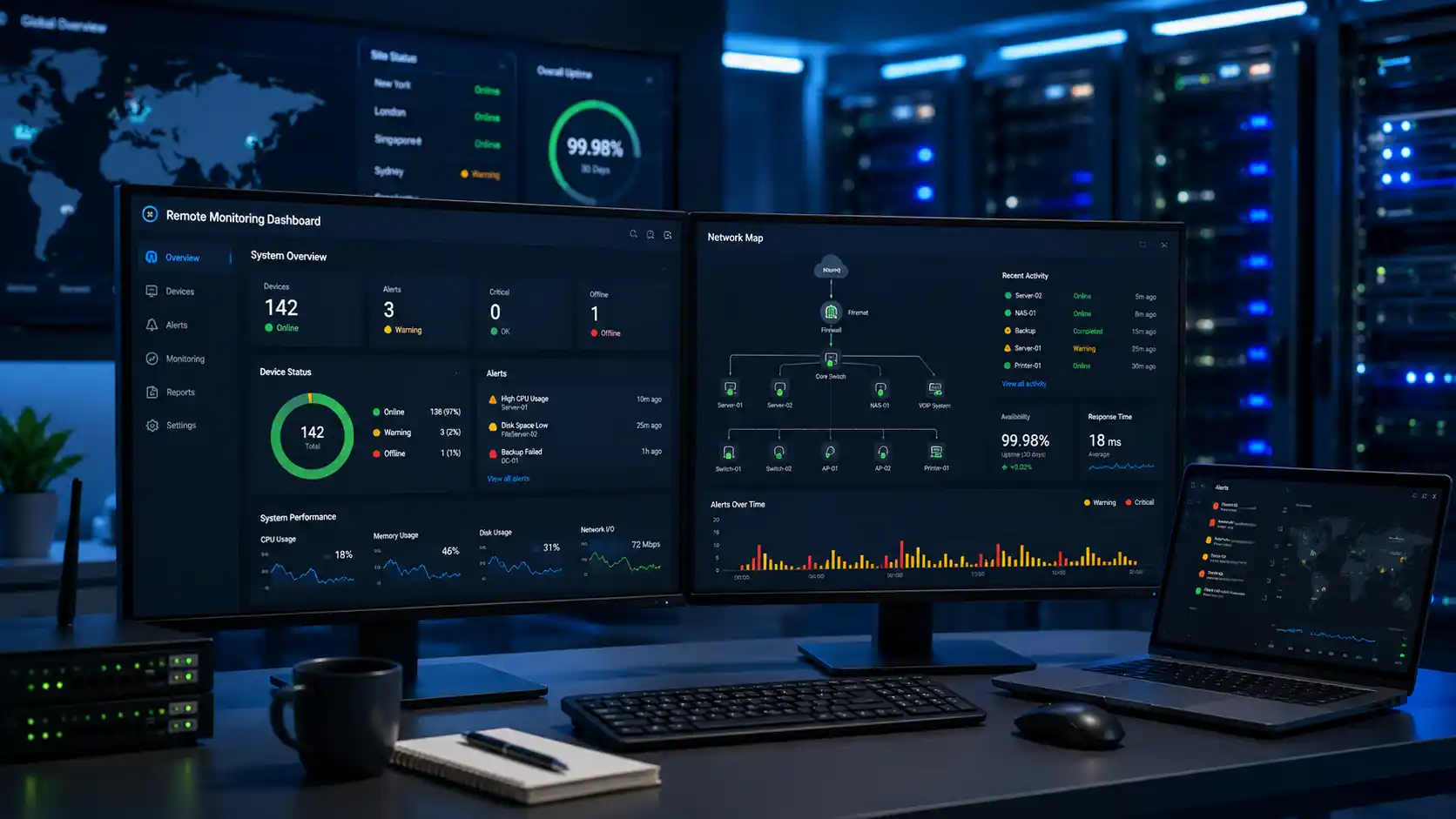
Remote monitoring gives businesses a more proactive way to manage these risks. Rather than waiting for an employee to report that something has broken, remote monitoring tools continuously observe the health, availability and performance of critical technology.
For businesses looking to strengthen their IT reliability, ICTechnology provides a complete approach to proactive support. From understanding how we work and the services we deliver, to learning more about our team and the way we support clients every day, ICTechnology focuses on keeping systems stable, secure and running smoothly. This includes everything from ongoing monitoring and support through to tailored IT solutions designed around business needs, helping organisations reduce downtime and stay productive with confidence.
When warning signs appear, an IT provider can investigate them before they develop into expensive interruptions.
Why IT Downtime Costs More Than It Appears
The visible cost of downtime is often the work employees cannot complete while systems are unavailable. However, the true cost is usually much broader.
Consider a business with 20 employees that experiences a two-hour network outage. Employees may be unable to access email, cloud platforms, customer records, shared documents or essential applications. Even after access is restored, they may need additional time to reopen programs, recreate unsaved work and catch up on delayed tasks.
Meanwhile, customers may be waiting for responses, suppliers may be unable to receive orders, and managers may need to redirect their attention towards handling the disruption.
Depending on the affected system, downtime can result in:
- Lost employee productivity
- Missed sales and appointments
- Interrupted customer service
- Delayed invoices and payments
- Lost or corrupted data
- Additional recovery expenses
- Overtime or emergency support costs
- Reputational damage
- Compliance and reporting concerns
A cyber security incident can make these consequences significantly worse. The 2024–25 Annual Cyber Threat Report recorded an average self-reported cybercrime cost of $56,571 for small businesses and $97,166 for medium-sized businesses. These figures represent the direct financial impact reported by affected organisations and do not necessarily capture every long-term consequence, such as lost trust or future business opportunities.
The risk is particularly concerning because many organisations remain underprepared. Recent government business data found that 28 per cent of businesses had no measures in place to prevent cyber security incidents (Australian Bureau of Statistics, 2026).
Not every outage is caused by a cyberattack, of course. Hardware failures, software conflicts, expired licences, internet problems, incorrect configuration changes and human error can all interrupt operations. Remote monitoring helps reduce this risk by giving IT teams visibility into the condition of the environment before a disruption becomes obvious to users.
What Is Remote IT Monitoring?
Remote IT monitoring is the continuous observation of a business’s devices, systems, networks and services from a central platform.
Small monitoring agents or secure management tools can be installed across approved devices and infrastructure. These tools collect information about system health and send alerts when performance falls outside established limits.
Depending on the environment, monitoring may cover:
- Servers and workstations
- Firewalls, switches and wireless networks
- Internet connections
- Cloud services
- Storage capacity
- CPU and memory usage
- Device health
- Backup status
- Security software
- Software updates
- Critical business applications
- Network availability
Remote monitoring is not the same as someone watching an employee’s screen or reviewing their personal activity. Its purpose is to monitor the technical condition of authorised business systems.
For example, a monitoring platform may identify that a server’s available storage has fallen below 10 per cent, that a backup has failed for two consecutive nights or that a security service is no longer running. The IT team can then investigate and take corrective action.
This creates a significant advantage over traditional reactive support, where technicians often become aware of an issue only after employees have already been affected.
Finding Small Problems Before They Become Outages
Many serious IT failures are preceded by warning signs.
A hard drive may produce errors before failing completely. A server may experience increasingly high memory usage before an application crashes. Network equipment may become unstable before users lose connectivity. A backup system may stop completing successfully days or weeks before data is actually needed.
Without monitoring, these warning signs can easily go unnoticed.
Remote monitoring enables IT teams to set alerts based on factors such as performance, capacity, device status and service availability. When a threshold is reached, a support ticket can be generated automatically for investigation.
Imagine that a file server is approaching its storage limit. Employees may not notice anything immediately, but performance could gradually deteriorate. Eventually, users may be unable to save documents, applications could stop functioning correctly and backups might fail.
A monitoring system can detect the declining capacity well before the server reaches that point. The IT provider can remove unnecessary files, expand the available storage or recommend an upgrade during a planned maintenance period.
Instead of dealing with an unexpected outage during working hours, the business resolves the issue in a controlled way with minimal disruption.
Faster Detection Leads to Faster Resolution
When an outage occurs, every minute spent identifying the cause adds to the disruption.
In a purely reactive support model, the process usually begins when an employee notices a problem. They may attempt to fix it themselves, ask colleagues whether they are experiencing the same issue and then contact the IT support team.
The technician must collect information, determine which systems are affected and begin diagnosing the cause. Valuable time has already passed before the investigation starts.
Remote monitoring can significantly shorten this process.
The monitoring platform may identify when a service goes offline, record changes in system behaviour and provide technical data that helps the support team narrow down the cause. In some situations, automated processes can restart a failed service or carry out another pre-approved corrective action.
This does not mean every issue can be fixed automatically or remotely. Hardware may still need to be replaced, cables may need to be repaired and some incidents will require onsite support. However, early information helps technicians arrive better prepared and reduces the time spent searching for the problem.
The difference is important. When IT teams know what failed, when it failed and what happened immediately beforehand, they can focus on restoring services rather than beginning the investigation from zero.
Monitoring Backups, Security and Critical Services
Remote monitoring becomes particularly valuable when applied to systems that businesses assume are operating correctly.
Backups are a good example. A company may have backup software installed and believe its data is protected. However, backups can fail because of storage limitations, authentication errors, software issues or configuration changes.
A failed backup may remain undiscovered until the business experiences data loss and attempts to recover its files.
Government cyber security guidance recommends implementing regular backups to help organisations recover and maintain operations following incidents such as ransomware attacks. Secure backups can allow affected organisations to restore access to important information and resume operations sooner.
Monitoring provides an additional layer of assurance by checking whether backup jobs have completed successfully and alerting the IT team when they fail.
The same principle applies to security software, internet connections and critical business services. Monitoring can detect when antivirus protection becomes inactive, a firewall goes offline or a key application stops responding.
Early alerts do not eliminate every risk, but they greatly improve the likelihood that a problem will be addressed before it affects the wider business.
Supporting Business Continuity and Long-Term Planning
Remote monitoring is not only useful for resolving immediate technical problems. Over time, it also provides valuable information about how a business’s IT environment is performing.
Monitoring reports may show that a server regularly reaches its resource limits, a wireless network struggles during busy periods or an older device repeatedly generates faults. These patterns can help decision-makers understand where future investment is required.
Instead of replacing equipment based on guesswork, businesses can use performance data to plan upgrades, allocate budgets and prioritise the systems carrying the greatest operational risk.
This is especially important for growing businesses. Technology that worked effectively for a team of five may become unreliable when the company expands to 20 or 30 employees. Storage, internet capacity, wireless coverage and software licensing may all need to evolve.
Monitoring helps identify when systems are approaching their practical limits.
It also supports broader business continuity planning. Cyber security guidance emphasises that incident response should align with an organisation’s emergency, crisis and business continuity arrangements (Australian Signals Directorate, 2024). Remote monitoring strengthens this preparation by improving visibility and helping IT teams respond before an emerging issue becomes a crisis.
Why Proactive IT Support Is Better Than Waiting for Failure
Reactive support is often described as a break-fix approach: something breaks, the business reports it and a technician fixes it.
This model can appear economical because the business pays for support only when something goes wrong. The difficulty is that it does little to prevent the lost productivity, customer disruption and emergency costs associated with the failure itself.
Proactive support changes the objective. Rather than simply repairing failed technology, the focus shifts towards keeping systems healthy, secure and available.
Remote monitoring supports this approach by allowing IT teams to:
- Respond to alerts before users are affected
- Identify recurring technical problems
- Confirm that essential services are running
- Monitor backup success
- Detect unusual system behaviour
- Plan maintenance before equipment fails
- Use performance data to recommend improvements
This is similar to maintaining a vehicle. Waiting until an engine fails may avoid routine servicing costs in the short term, but the eventual repair is likely to be more expensive and disruptive. Regular checks help identify wear, warning signs and maintenance requirements before the vehicle becomes unusable.
Business technology should be treated with the same level of care. It is too important to be managed only when it stops working.
What Businesses Should Look for in a Remote Monitoring Service
Not every remote monitoring arrangement offers the same level of protection. Businesses should understand what is being monitored, how alerts are handled and what happens when a problem is detected.
A reliable service should include clear monitoring coverage, defined escalation processes and access to technicians who can investigate alerts. It should also distinguish between informational notifications and issues requiring urgent action.
Businesses should ask potential providers:
- Which devices, systems and services will be monitored?
- Is monitoring active outside standard business hours?
- How are urgent alerts prioritised?
- Does the service monitor backup success and security status?
- What corrective actions can be taken remotely?
- How are recurring issues reported?
- Will the provider recommend upgrades based on performance data?
- How is remote access secured and controlled?
- What happens when onsite work is required?
Monitoring tools generate information, but information alone does not prevent downtime. The real value comes from having skilled technicians review alerts, determine their importance and take appropriate action.
A successful monitoring service therefore combines technology, processes and experienced support.
How ICTechnology Helps Keep Your Business Running
In today’s always-on business environment, having real-time visibility of your IT systems is essential. ICTechnology provides 24/7 remote monitoring to track the health, performance and availability of your IT infrastructure.
By continuously monitoring approved systems, devices and critical services, our team can identify warning signs and respond to issues before they develop into significant operational disruptions.
This proactive approach can include monitoring server performance, network availability, device health, backup status and other essential technology across your environment. When an issue is detected, it can be assessed and addressed quickly rather than remaining hidden until employees are unable to work.
ICTechnology also uses monitoring insights to identify recurring faults, ageing infrastructure and potential capacity limitations. This gives businesses a clearer understanding of their technology and supports better planning for maintenance, upgrades and future growth.
For small and medium-sized businesses without a dedicated internal IT department, this provides access to ongoing technical oversight without needing to build a complete monitoring operation internally.
The result is a more stable IT environment, faster support and a reduced likelihood of costly, unexpected downtime.
Keep Small IT Problems From Becoming Business Emergencies
No monitoring solution can promise that technology will never fail. Hardware can still malfunction, internet services can experience outages and cyber threats continue to evolve.
However, businesses do not need to wait passively for problems to interrupt their operations.
Remote monitoring provides early visibility into system health, allowing IT teams to identify warning signs, resolve faults and plan maintenance before employees and customers are affected. It turns IT support from an emergency response service into an active part of business continuity.
For businesses that rely on technology to communicate, process payments, store information and serve customers, that proactive approach is no longer simply convenient. It is an important safeguard against unnecessary disruption.
The best time to resolve an IT problem is not after the business has stopped. It is while the warning signs are still small.
If you’re looking to reduce downtime, improve reliability and take a more proactive approach to your IT environment, it may be worth reviewing how your current systems are being monitored. A short conversation with ICTechnology team can often highlight simple improvements that make a significant difference over time.
Because in business, it’s not just about fixing problems quickly — it’s about making sure they don’t slow you down in the first place.
Interested in a Quote and Consultation? Reach out to:
[email protected]
Need remote monitoring to prevent costly IT downtime? Please reach out!
[email protected]
Any other enquiries?
Fill out our Contact Form here.
References
Australian Bureau of Statistics. (2026, June 25). Characteristics of Australian business, 2024–25 financial year. https://www.abs.gov.au/statistics/industry/technology-and-innovation/characteristics-australian-business/latest-release
Australian Signals Directorate. (n.d.-a). Small business cloud security guides. Cyber.gov.au. Retrieved July 24, 2026, from https://www.cyber.gov.au/business-government/small-business-cyber-security/small-business-hub/small-business-cloud-security-guides
Australian Signals Directorate. (n.d.-b). Essential Eight. Cyber.gov.au. Retrieved July 24, 2026, from https://www.cyber.gov.au/business-government/asds-cyber-security-frameworks/essential-eight
Australian Signals Directorate. (2023, June 16). Small business cyber security guide. Cyber.gov.au. https://www.cyber.gov.au/business-government/small-business-cyber-security/small-business-hub/small-business-cyber-security-guide
Australian Signals Directorate. (2024, January 17). Practical cyber security tips for business leaders. Cyber.gov.au. https://www.cyber.gov.au/business-government/protecting-business-leaders/cyber-security-for-business-leaders/practical-cyber-security-tips-for-business-leaders
Australian Signals Directorate. (2026, June 9). Guidelines for system management. Cyber.gov.au. https://www.cyber.gov.au/business-government/asds-cyber-security-frameworks/ism/cyber-security-guidelines/guidelines-for-system-management
Office of the Australian Information Commissioner. (2025, May 13). OAIC statistics show record year for data breaches. https://www.oaic.gov.au/news/media-centre/oaic-stats-show-record-year-for-data-breaches