Why proactive IT support is essential for modern construction businesses
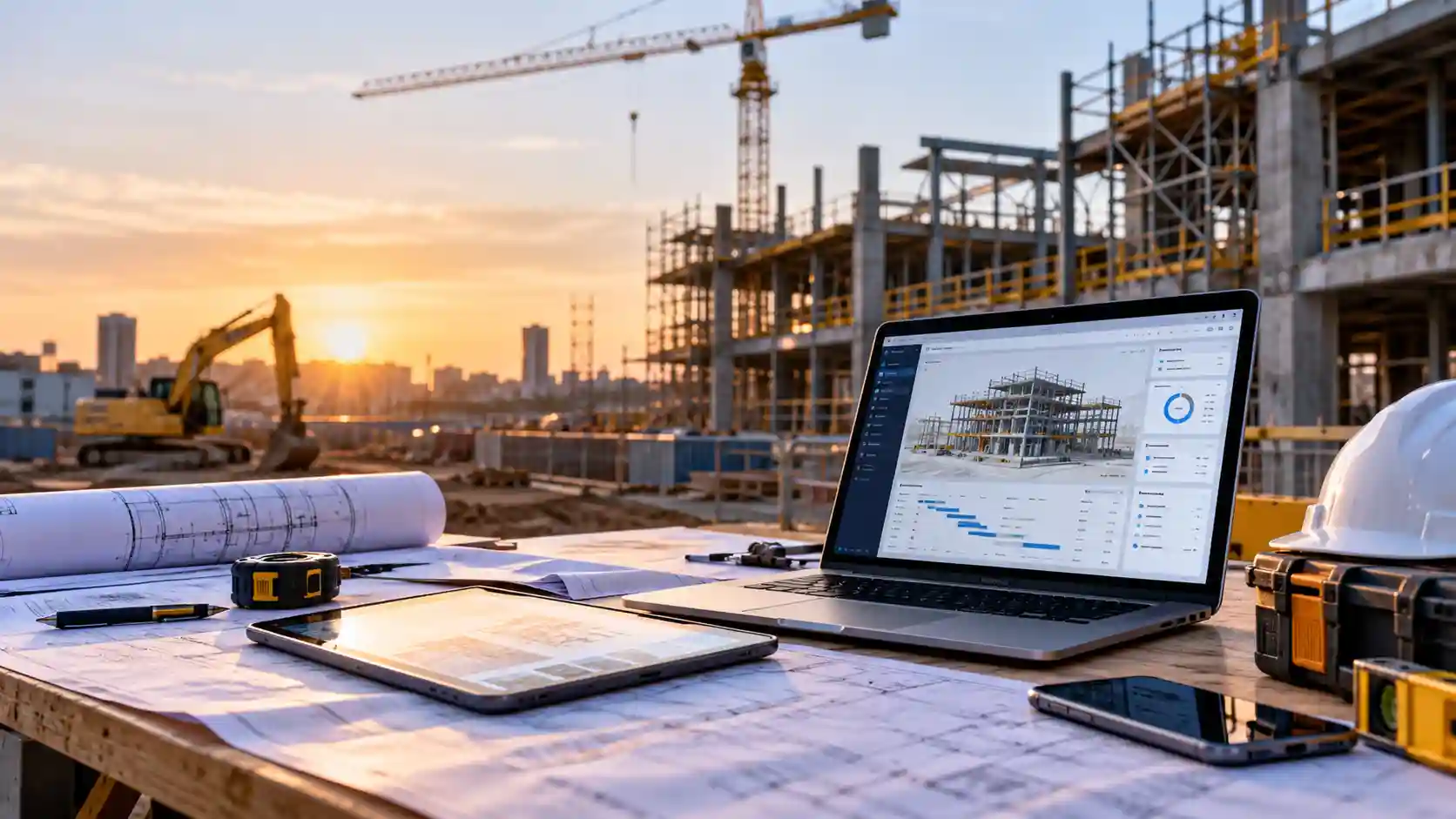
It is 7am on a pour day. The trucks are booked and the crew is on site, but the site manager cannot open the latest approved drawings. The site modem dropped out overnight, and nobody noticed until now.
Drawings, safety forms, variations, timesheets and supplier orders all move through devices, cloud apps and networks. When those systems fail and nobody finds out until someone complains, the delay flows straight into the program. This guide explains why proactive IT support for construction businesses matters, where the risks sit and what owners can do about them.
Key takeaways
- Proactive IT support for construction means monitoring and maintaining systems continuously, so problems are fixed before they stop work on site.
- IT downtime on construction projects is expensive because one failure can idle crews, delay inspections and push out deadlines.
- Construction site connectivity is often the weakest link, so temporary sites need planned, monitored internet and a backup connection.
- Remote IT support for field teams resolves most software, account and device problems without anyone leaving site.
- Good construction technology management covers updates, backups, mobile devices and security, not just fixing what breaks.
- Reactive “break-fix” support usually costs more over time because you pay for the outage as well as the repair.
What proactive IT support means for a construction business
Proactive IT support is a preventative approach to technology. Instead of waiting for a call when something stops working, your systems are watched around the clock, maintained on a schedule and improved before small issues become outages.
Monitoring tools track the health of servers, laptops, firewalls, internet links and backups, and raise an alert when something looks wrong. A full drive, a failed overnight backup or a site router dropping in and out can be fixed quietly in the background. That is the real value of keeping a constant eye on your systems: the fix happens before anyone on site notices a problem.
The alternative is reactive or “break-fix” support, where help is called only after something fails. It can look cheaper on paper, yet every hour spent waiting for a technician is an hour the site absorbs. Over time, paying for repairs only as they happen usually ends up costing more than preventing them.
Why construction is a tough environment for technology
Construction is demanding for IT, and it is made up mostly of smaller operators. According to Master Builders, more than 98.6% of construction businesses employ fewer than 20 people, which usually means no in-house IT team. Official figures also show construction recorded 76,414 new businesses in 2024–25, more than any other industry.
Several pressures make technology harder to manage:
- Temporary and remote sites. Every project needs internet, Wi-Fi and secure access, often where mobile reception is patchy. Governments are still funding new towers through programs such as the Mobile Black Spot Program, so coverage cannot be taken for granted.
- Mobile and field teams. Supervisors and trades work from tablets, phones and laptops that move between sites, vehicles and homes.
- Many users and partners. Subcontractors, consultants and clients often need access to shared files and project platforms.
- Mixed old and new systems. Researchers from Monash University and the University of Melbourne note the industry has been slow to adopt Construction 4.0 technologies.
Reliable construction site connectivity starts with planning. Mapping signal strength across the site before any equipment goes in reveals where coverage will fall short, and bringing site and office systems onto one connected network makes faults far easier to trace.
The real cost of IT downtime on construction projects
IT downtime on construction projects rarely appears as a single line on an invoice. It appears as crews standing around, inspections rescheduled, materials ordered against the wrong revision and claims submitted late. On projects with tight handover dates, a lost day can have contractual consequences.
Cyber incidents add another layer. The Annual Cyber Threat Report 2024–25 found the average self-reported cost of cybercrime per report was $56,600 for small businesses and $97,200 for medium businesses. Publicly reported software vulnerabilities also rose 28%, which makes regular patching essential.
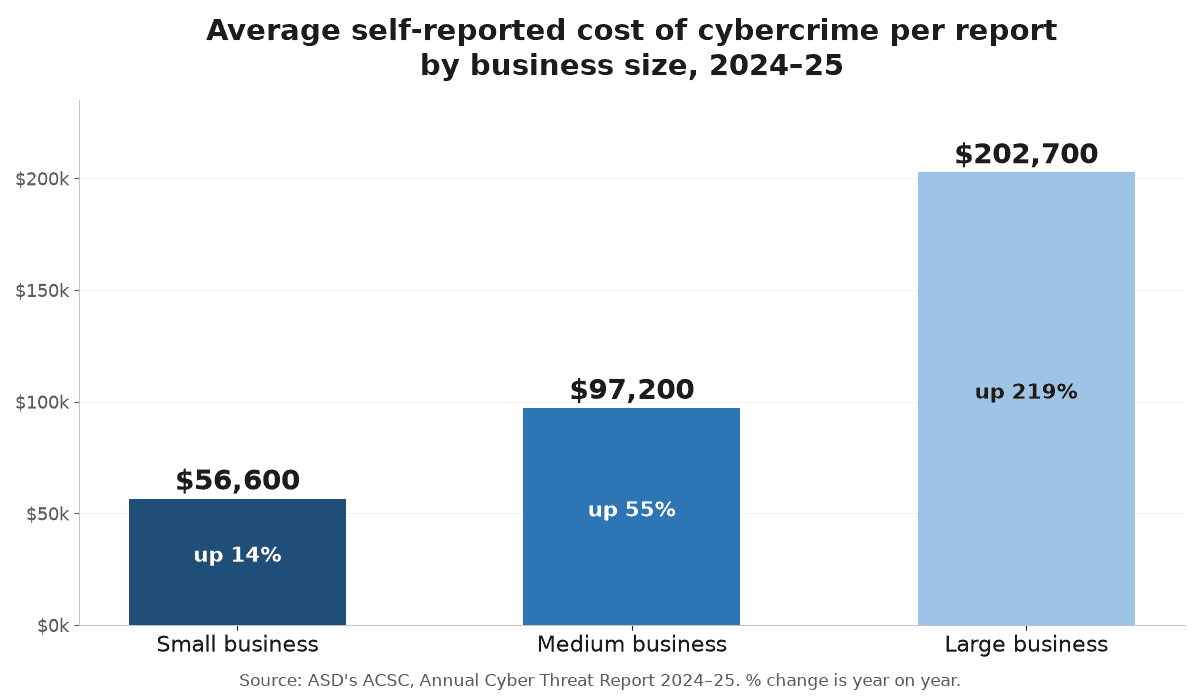
Source: Annual Cyber Threat Report 2024–25
Data loss is just as disruptive. If drawings or site diaries are lost and nobody has tested the backup, recovery may not be possible. Backups have a habit of breaking down quietly, and most businesses only find out on the day they need them.
Reactive vs proactive IT support: what changes on site
The difference is easiest to see in everyday situations.
| Situation | Reactive (break-fix) support | Proactive IT support |
| Site internet drops out | Noticed when staff complain | Alert raised and backup link takes over |
| Devices need updates | Skipped until something breaks | Scheduled outside working hours |
| Overnight backup fails | Discovered when files are needed | Flagged and fixed the next morning |
| New site starts | Set up in a rush on day one | Planned before mobilisation |
| Staff member leaves | Accounts stay active for weeks | Access removed the same day |
| Monthly costs | Unpredictable repair bills | Predictable support, fewer surprises |
Practical steps to strengthen construction technology management
You do not need a large budget to improve how technology is run:
- Map your critical systems. List the apps, devices and connections each site relies on, and what happens if each fails.
- Plan connectivity before mobilisation. Arrange internet early, secure the site Wi-Fi and add a mobile or satellite backup link for critical sites.
- Automate updates. The small business cyber security handbook recommends automatic updates wherever possible and scheduling the rest outside business hours.
- Back up and test restores. Keep three copies of your data on two types of storage, with one stored offsite, and confirm files can actually be restored.
- Secure every mobile device. Use screen locks, multi-factor authentication and remote wipe. Laptops and tablets that travel between sites and vehicles need stronger security on every device than desktops that never leave the office.
- Make help easy to reach. Give field staff one number or portal, so problems are reported early instead of worked around.
Why acting before problems appear pays off
A failing drive found during a routine check costs an hour to replace. The same drive failing in tender week can cost a bid. Proactive support turns surprise outages into planned maintenance and makes costs more predictable.
It also supports growth. As you add sites, staff and subcontractors, a well-managed environment scales with you instead of becoming a tangle of shared passwords and ageing laptops. That is why managed IT services in the construction industry are increasingly seen as part of project delivery. Many of the everyday IT headaches that hold growing businesses back are the same ones that keep builders waiting on site.
How ICTechnology keeps construction teams connected and productive
ICTechnology has more than 20 years of experience supporting business IT and network infrastructure for small and medium businesses, and already works with the construction sector, providing IT support and website maintenance for formwork and structural contractors Future Form and Fastform. For construction firms, that means support covering the office, the site and the people moving between them.
ICTechnology’s proactive IT support includes round-the-clock monitoring and maintenance and a 24/7 help desk, aimed at detecting problems before they affect your business. Its managed IT services combine network management, backup and recovery, endpoint security, remote monitoring and management, mobile device management and liaison with your internet and phone providers.
For people in the field, remote IT support connects an engineer to the device through a secure platform, so most issues are fixed without leaving site. When hardware needs hands-on attention, on-site IT support is available.
What began as a one-person operation has grown into a specialised IT business, and the people you would deal with day to day share the same focus on spotting problems before they reach your business.
Frequently asked questions
What is proactive IT support for construction businesses?
Proactive IT support for construction is ongoing monitoring, maintenance and help that finds and fixes problems before they disrupt work. It covers office systems, site connectivity, mobile devices, backups and security.
Why is IT downtime so costly for construction projects?
Because it delays people, not just computers. Losing access to drawings, communication or ordering systems can idle crews, push back inspections and put deadlines at risk.
How can construction businesses improve site connectivity?
Plan connectivity before each site starts, secure the site Wi-Fi and add a backup mobile or satellite link. Monitoring the connection means dropouts are fixed quickly rather than discovered by frustrated staff.
Does remote IT support work for field teams?
Yes. Remote IT support for field teams resolves most software, login, email and device problems over a secure connection. Hardware faults may still need an on-site visit.
Does ICTechnology work with construction businesses?
Yes. ICTechnology provides IT support and website maintenance for construction businesses such as formwork contractors Future Form and Fastform. Its managed IT services also cover network management, backup and recovery, endpoint security, remote monitoring, mobile device management, and remote and on-site support.
When should a construction business seek professional IT support?
When you are opening new sites, adding staff, relying on one person to “fix the computers” or experiencing repeated outages. It is also wise if you are unsure your backups work.
Keeping every site connected and on schedule
Construction businesses already plan carefully for materials, labour and weather. Technology deserves the same attention. With proactive monitoring, regular maintenance and fast help in the field, IT becomes something your projects can rely on.
If you are unsure how your systems would cope with the next new site, a conversation with ICTechnology is a practical place to start. After all, you would never pour a slab without checking the formwork first, so why run your projects on technology nobody is checking?
Interested in a quote and consultation? Reach out to: [email protected]
Need help with your existing IT systems? Please reach out! [email protected]
Any other enquiries? Fill out our contact form here.