The importance of speed, security and mobile performance in construction websites
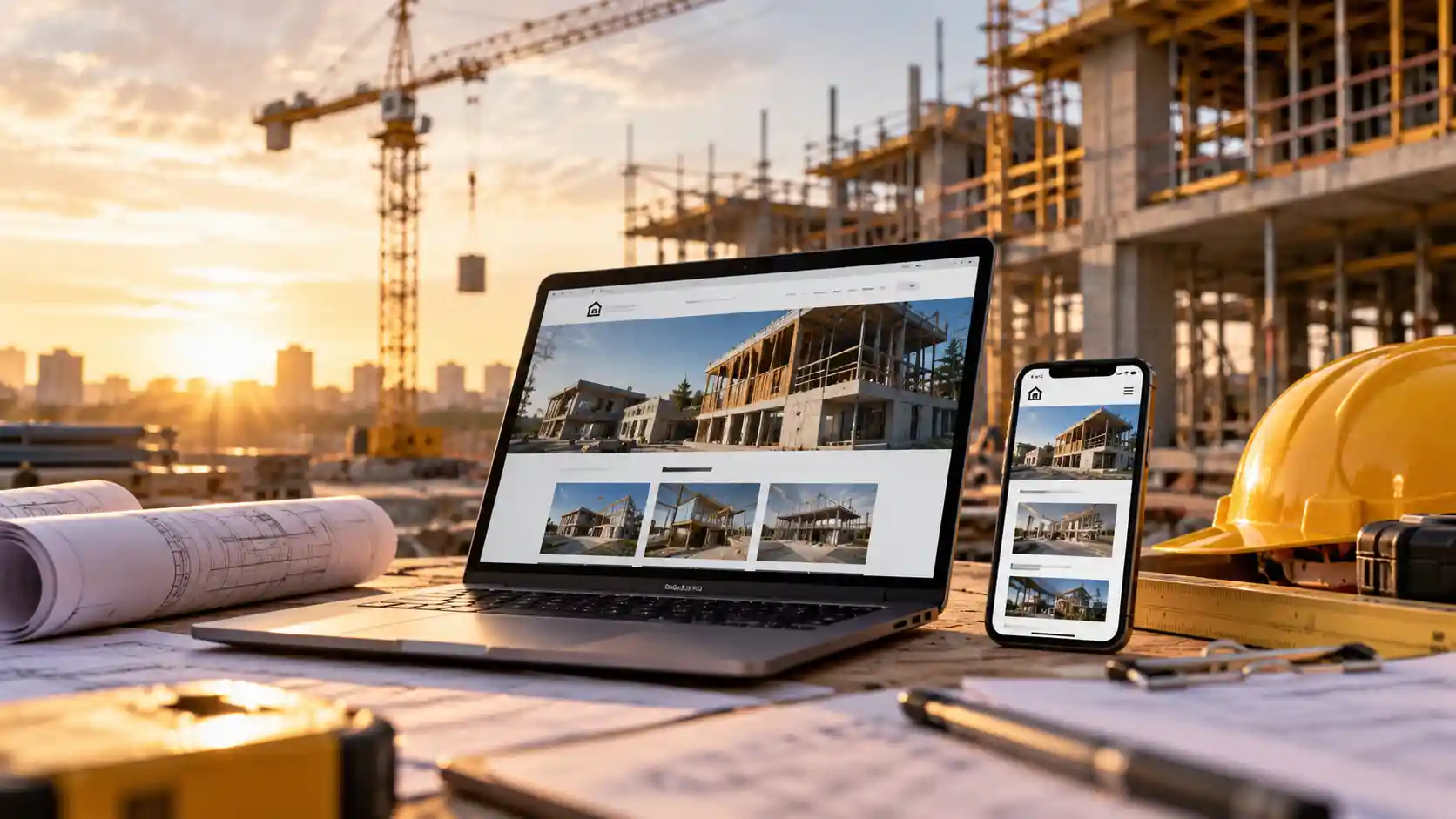
A property developer is standing on a vacant block between meetings, shortlisting builders on their phone. They tap your name in the search results. The page stays blank for a few seconds, the menu spills off the screen and the browser shows a “Not secure” warning. They tap back and call the next builder on the list.
Nobody in your office ever knew that enquiry existed. For clients, architects and head contractors, your website is often the first test of whether you are credible and easy to deal with. This article explains why speed, security and mobile performance matter so much, what usually goes wrong and what business owners can do about it.
Key takeaways
- A construction lead generation website must load quickly, work smoothly on phones and stay secure, or visitors leave before they enquire.
- Most people now go online with a phone, so a mobile friendly construction website is the baseline, not an extra.
- Core Web Vitals give website speed optimisation clear targets for loading, responsiveness and visual stability.
- Website security SSL (HTTPS) protects enquiry forms and avoids browser warnings that destroy trust in seconds.
- Outdated plugins are a common way attackers break in, so ongoing updates matter as much as good design.
Why your website is a client’s first site visit
Construction is a high-trust purchase. Projects are expensive and hard to undo, so clients check completed projects, licences and reviews before they call, and they judge how professional you are by how your website behaves.
Most of that homework now happens on a phone. According to the communications regulator’s 2025 consumer research, 97% of adults used a mobile phone to go online, up from 95% the year before, and 92% did so every day.
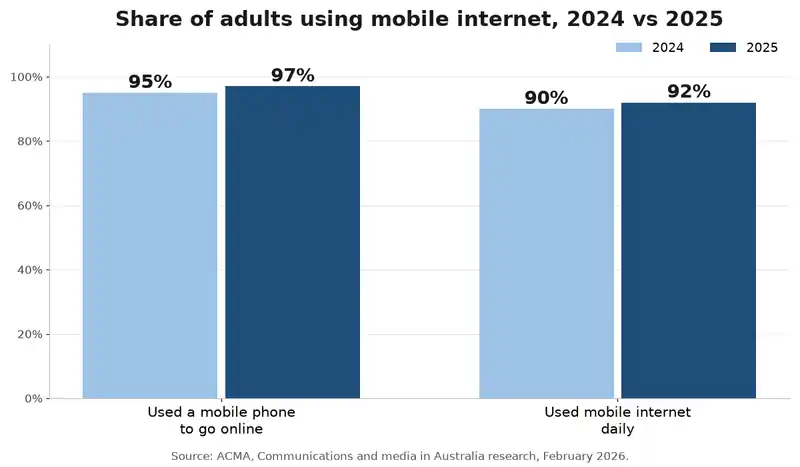
Source: ACMA, Communications and media research, February 2026
Retailers felt this shift first, and the reasons shops now design for the phone screen before the desktop apply just as strongly to builders. Ownership is another problem. Master Builders reports that more than 98.6% of construction businesses employ fewer than 20 people, so a website is often built once and then left with nobody looking after it.
How speed, security and mobile performance shape trust
Each area affects a different part of the visitor’s experience, and a weakness in any one can cost you the enquiry.
Speed: first impressions happen in seconds
Construction websites are naturally image-heavy. Project galleries, drone footage and video headers look impressive, but large uncompressed files often make a builder’s site crawl on a patchy mobile connection.
Google’s Core Web Vitals turn “fast enough” into three measurable targets, assessed separately on mobile and desktop.
| Core Web Vital | What it measures | “Good” target | Common cause on construction sites |
| Largest Contentful Paint (LCP) | How quickly the main content appears | 2.5 seconds or less | Oversized hero photos and video banners |
| Interaction to Next Paint (INP) | How quickly the page responds to a tap | 200 milliseconds or less | Heavy sliders, chat widgets and too many plugins |
| Cumulative Layout Shift (CLS) | How much the layout jumps while loading | 0.1 or less | Images and banners without set dimensions |
These signals form part of Google’s page experience guidance, so a faster site supports your search visibility as well.
Mobile usability: built for thumbs, not just smaller screens
A mobile friendly construction website is more than a desktop site squeezed onto a phone. It has readable text, buttons large enough to tap, a click-to-call number, short enquiry forms and galleries that swipe easily. Google also uses the mobile version of your site for indexing and ranking, so a poor mobile experience can hold back rankings as well as enquiries.
Security: protecting your reputation as well as your data
Website security SSL is the starting point. An SSL/TLS certificate enables HTTPS, encrypting what people type into your enquiry and quote forms. Government advice on how to secure your website lists HTTPS alongside multi-factor authentication, backups and regular updates as key actions.
Small businesses are firmly in the firing line. In July 2026, the national cyber security authority issued a critical alert about a large-scale campaign exploiting website content management systems, noting many small to medium businesses had been impacted. Compromised sites were used to deface pages, capture details entered by visitors and spread malware. Attacks like these usually exploit ordinary, everyday weaknesses such as an unpatched plugin or a reused password.
What a slow, insecure or clunky website costs your business
The damage rarely arrives as one obvious bill. Instead, it shows up as:
- Fewer enquiries. Visitors who wait, zoom or see a warning usually leave without filling in a form.
- Lower search visibility. A slow, awkward mobile experience makes it harder to rank for the local searches that bring in work, which is why SEO belongs in the build from the start.
- Wasted advertising spend. Paid clicks that land on a slow page are visitors who never see your work.
- Reputation and data risk. A defaced homepage can undo years of referrals overnight, and details captured through your forms may be exposed. The measures retailers use to keep customer details safe online translate well to any enquiry form.
The risk keeps growing. The Annual Cyber Threat Report 2024–25 found publicly reported software vulnerabilities rose by 28%, giving attackers more ways into outdated websites.
Practical steps to improve your construction website
You don’t need a complete rebuild to make a noticeable difference:
- Test what visitors experience. Run your homepage through PageSpeed Insights, then load it on your own phone using mobile data.
- Optimise images and video. Resize and compress project photos, use modern formats such as WebP and load gallery images as visitors scroll.
- Choose quality hosting. Cheap, overcrowded hosting slows every page, so look for fast servers, caching and strong security.
- Force HTTPS everywhere. Redirect every page to the secure version and make sure the certificate renews automatically.
- Keep everything updated. Update the content management system, theme and plugins regularly, and remove plugins you no longer use.
- Lock down admin access. Use multi-factor authentication and unique passwords, and limit admin rights to people who need them.
- Back up and test restores. Store backups away from the website and check they can actually be restored.
- Design for mobile first. Put the phone number, service areas and enquiry button where a thumb can reach them.
Several of these jobs get quicker with the right web development tools, from compressing images to tracking performance after each change.
Why a proactive approach protects your pipeline
A website is not a “set and forget” project. New vulnerabilities are disclosed constantly and every project gallery adds weight to your pages, so a site that was fast and secure at launch can quietly become slow and exposed.
Regular checks cost far less than rebuilding a hacked site or losing months of enquiries. Reviewing speed scores quarterly, applying updates promptly and keeping your local search presence current keeps your website doing its real job: bringing in qualified leads.
How ICTechnology builds faster, safer websites for construction businesses
ICTechnology helps construction businesses create websites that load quickly, work on every device and stay protected over time. The team already provides IT support and website maintenance for formwork and structural contractors Future Form and Fastform, so it understands how builders win work.
Its approach to web design and development treats responsive design as essential and SEO as part of the build. Web development services cover responsive, mobile, custom and e-commerce websites, while business web hosting is set up for better site performance. For client portals or field tools, custom application development extends what a website can do, and a purpose-built mobile app can support growth in ways a website alone cannot.
Behind the build, cyber security services and a tailored maintenance agreement with 24/7 monitoring help keep systems healthy. ICTechnology grew from a one-person operation into a specialised IT business, and the people behind each project share a focus on fixing problems before they affect your business.
Frequently asked questions
What is a mobile friendly construction website?
It is a website that is easy to read and use on a phone without zooming. It has tap-to-call buttons, short enquiry forms, fast-loading project galleries and touch-friendly menus.
Why is website speed important for construction businesses?
Slow pages lose visitors before they enquire. Faster pages keep potential clients engaged, support search rankings and make paid advertising more cost-effective.
What are Core Web Vitals?
Core Web Vitals are Google’s three measures of page experience: loading speed (LCP), responsiveness (INP) and visual stability (CLS). Good targets are 2.5 seconds, 200 milliseconds and 0.1 or less respectively.
Does a construction website need an SSL certificate?
Yes. An SSL certificate enables HTTPS, which encrypts form details and stops browsers labelling your site “Not secure”. Any business website that collects enquiries needs one.
When should a construction business get professional help with its website?
Get help if your site is slow on mobile, lacks HTTPS, hasn’t been updated in months, generates few enquiries or has nobody responsible for it. Act immediately if you suspect it has been hacked.
Does ICTechnology build and maintain websites for construction businesses?
Yes. ICTechnology provides website maintenance and IT support for construction businesses such as Future Form and Fastform, alongside responsive web design and development, web hosting and cyber security services.
Building a website that works as hard as your crew
Your website often meets clients long before your estimator does. When it loads quickly, works smoothly on a phone and is clearly secure, it builds the same confidence as a tidy, well-run site.
Testing it on your own phone is a good first step, and a conversation with ICTechnology can show you what to fix first. After all, you would never hand over a project without a final inspection, so why leave your most visible asset unchecked?
Interested in a quote and consultation? Reach out to: [email protected]
Need help with your existing IT systems? Please reach out! [email protected]
Any other enquiries? Fill out our contact form here.